ETJava Beta | Java    注册   登录
  • 搜索:
  • [使用目前最新版]HybridCLR6.9.0+YooAsset2.2.4实现纯C# Unity热更新方案 (一)

    发表于      阅读(1)     博客类别:Crawler     转自:https://www.cnblogs.com/jsrcode/p/18437150
    如有侵权 请联系我们删除  (页面底部联系我们)  

    1.前言

    1. 什么是热更新
      游戏或者软件更新时,无需重新下载客户端进行安装,而是在应用程序启动的情况下,在内部进行资源或者代码更新
    2. Unity目前常用热更新解决方案
      HybridCLR,Xlua,ILRuntime等
    3. Unity目前常用资源管理解决方案
      AssetBundles,Addressable,YooAsset等

    在这里我们采用HybridCLR+YooAsset的方案进行热更新
    (不建议Addressable方案资源管理,个人感觉坑有亿点多)

    2.创建开发环境

    这里使用VS2022,Unity编辑器版本为2022.3.20f1cf1

    3.安装HybridCLR

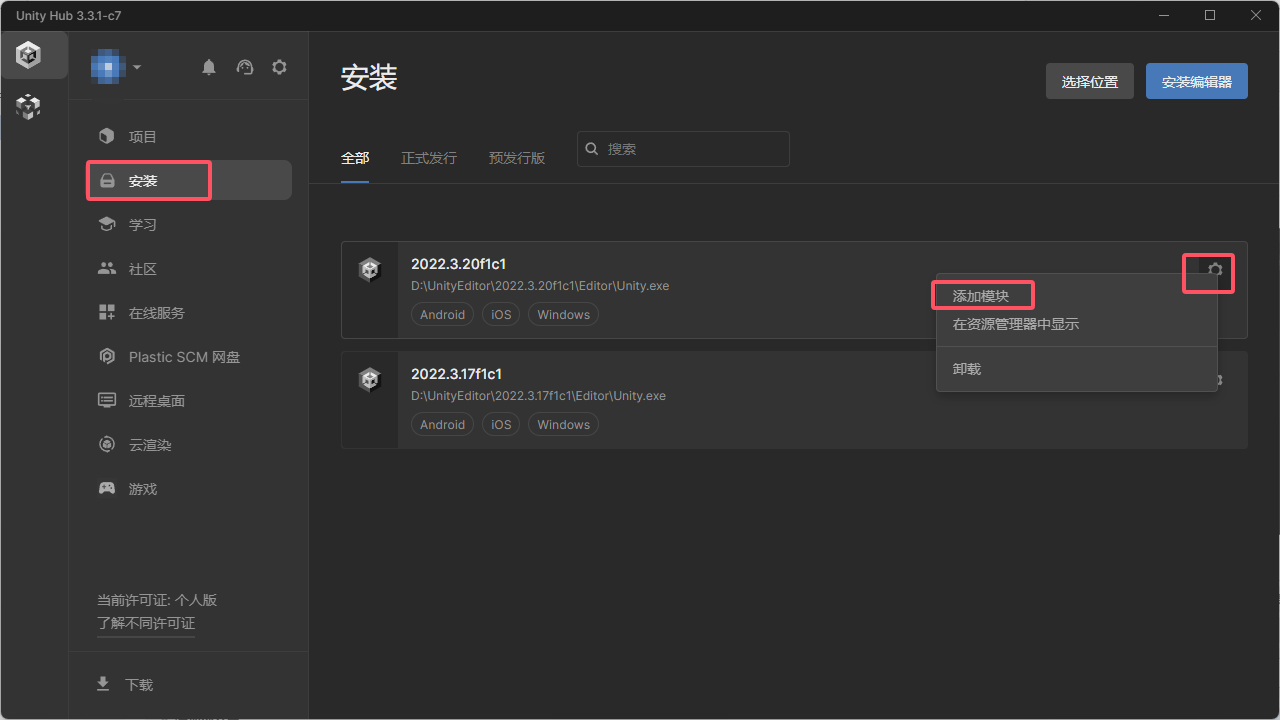
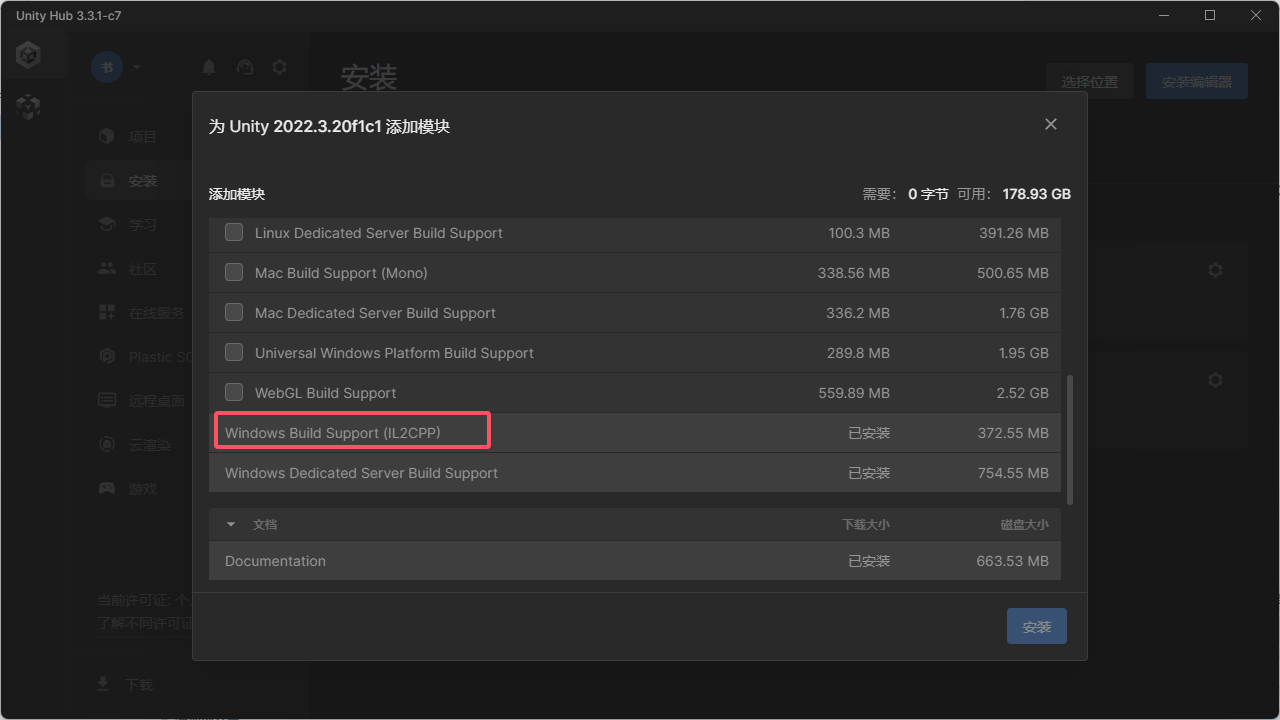
    1. 首先需要在Unity Hub中为编辑器安装Windows Build Support (IL2CPP)
      image
      image
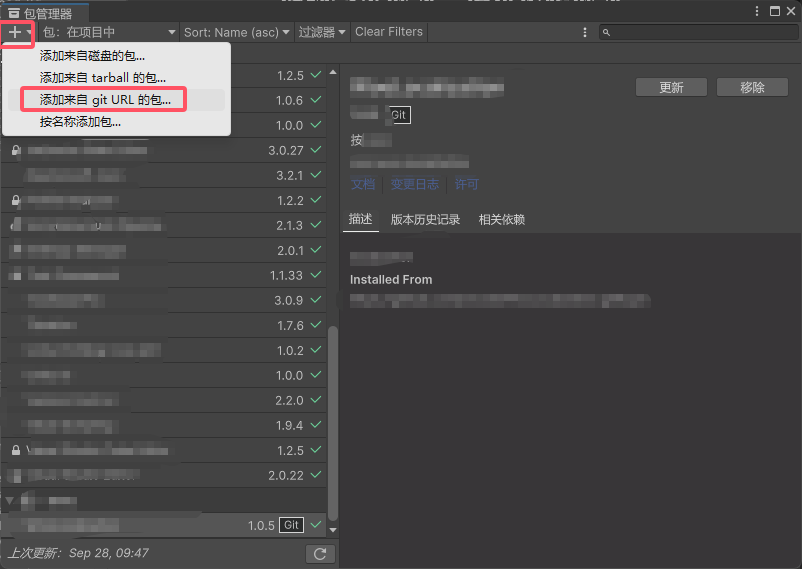
    2. 在主菜单中点击 窗口/包管理器/+/添加来自 git URL 的包
      https://gitee.com/focus-creative-games/hybridclr_unity.git
      image
      image
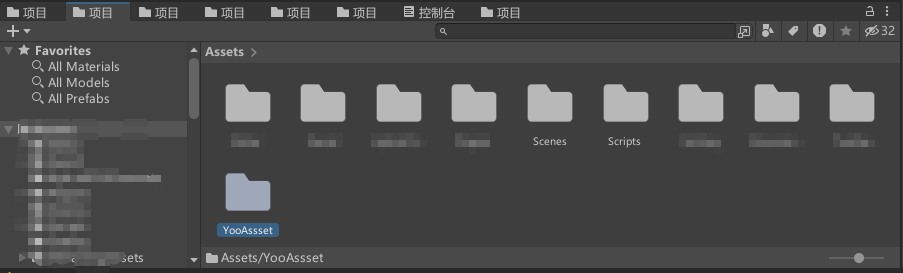
    3. 在Assets目录下创建"Scenes","Scripts","YooAssset"三个文件夹
      image
    4. 在Scenes文件夹创建Main屏幕(右键/创建/场景),双击打开
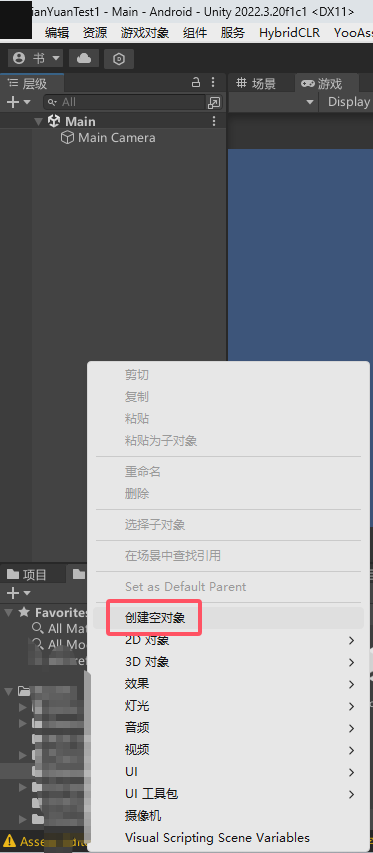
    5. 在场景里创建一个空对象
      image
    6. 然后在Scripts文件夹创建文件ConsoleToScreen.cs(用途是输出日志)
    using System.Collections.Generic;
    using UnityEngine;
    
    public class ConsoleToScreen : MonoBehaviour
    {
        const int maxLines = 50;
        const int maxLineLength = 120;
        private string _logStr = "";
    
        private readonly List<string> _lines = new();
    
        public int fontSize = 15;
    
        void OnEnable() { Application.logMessageReceived += Log; }
        void OnDisable() { Application.logMessageReceived -= Log; }
    
        public void Log(string logString, string stackTrace, LogType type)
        {
            foreach (var line in logString.Split('\n'))
            {
                if (line.Length <= maxLineLength)
                {
                    _lines.Add(line);
                    continue;
                }
                var lineCount = line.Length / maxLineLength + 1;
                for (int i = 0; i < lineCount; i++)
                {
                    if ((i + 1) * maxLineLength <= line.Length)
                    {
                        _lines.Add(line.Substring(i * maxLineLength, maxLineLength));
                    }
                    else
                    {
                        _lines.Add(line.Substring(i * maxLineLength, line.Length - i * maxLineLength));
                    }
                }
            }
            if (_lines.Count > maxLines)
            {
                _lines.RemoveRange(0, _lines.Count - maxLines);
            }
            _logStr = string.Join("\n", _lines);
        }
    
        void OnGUI()
        {
            GUI.matrix = Matrix4x4.TRS(Vector3.zero, Quaternion.identity,
                new Vector3(Screen.width / 1200.0f, Screen.height / 800.0f, 1.0f));
            GUI.Label(new Rect(10, 10, 800, 370), _logStr, new GUIStyle { fontSize = 10 });
        }
    }
    
    1. 将ConsoleToScreen.cs挂载在新建的空对象上
    2. 在Scripts文件夹里创建HotUpdate文件夹
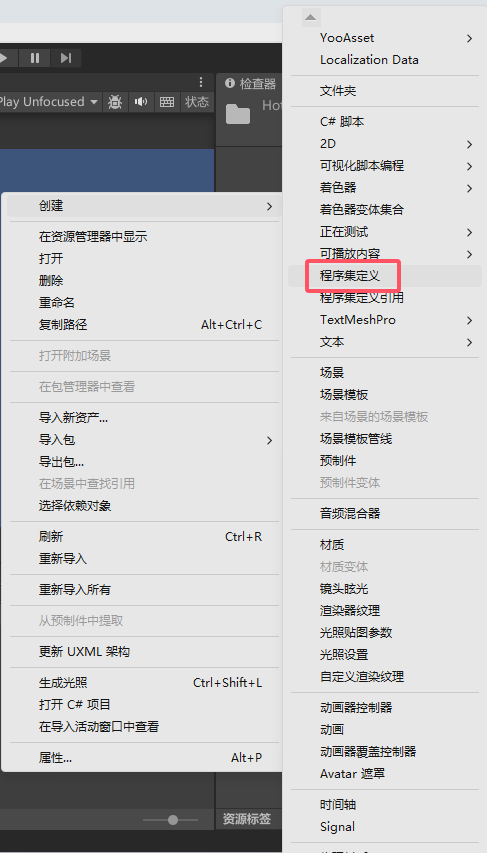
    3. 在HotUpdate文件夹里右键创建程序集HotUpdate
      image
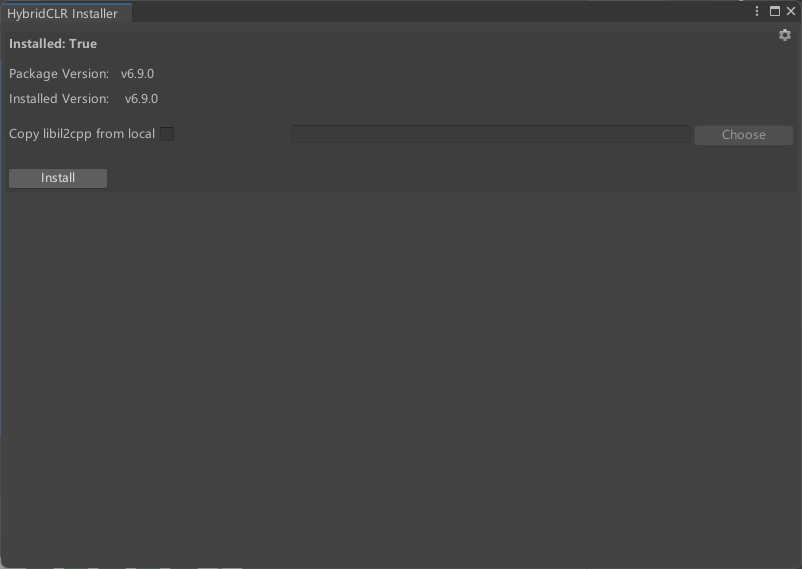
    4. 打开菜单HybridCLR/Installer,然后点击Install进行安装,安装完成后会显示已经安装的版本
      image
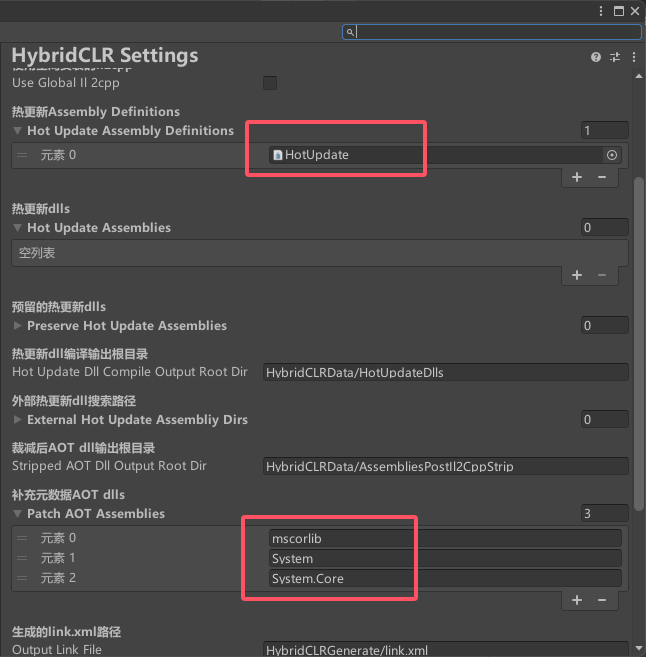
    5. 打开HybridCLR/Settings,进行如下配置
      image
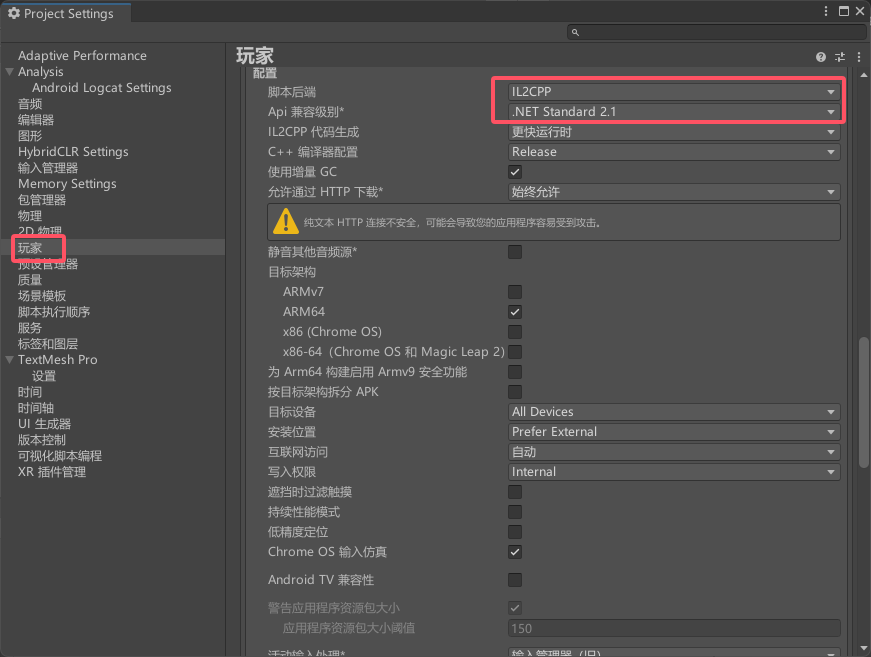
    6. 然后点击玩家,进行如下配置
      image

    4.配置YooAsset

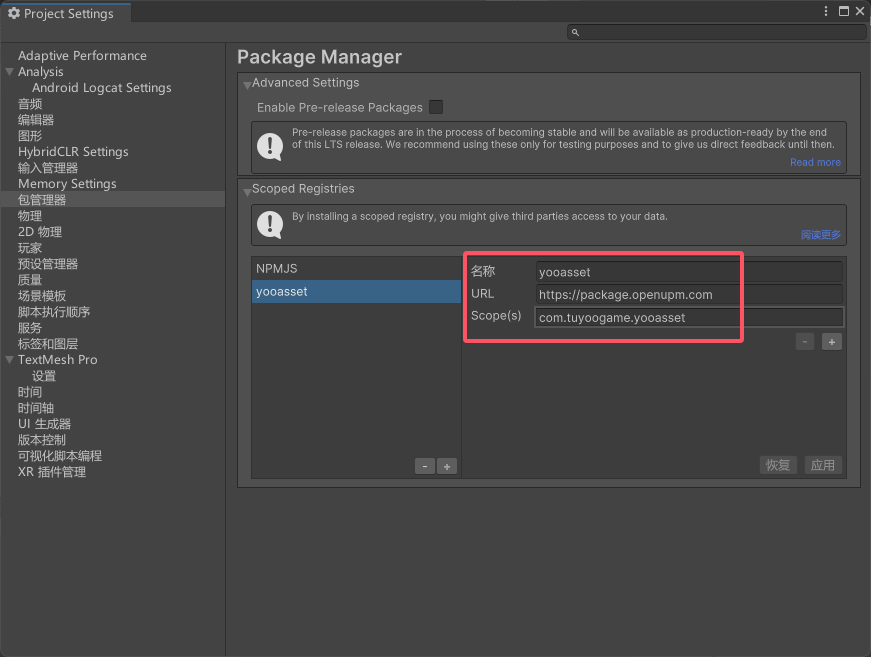
    1. 点击编辑/项目设置/包管理器添加如下信息
    Name: yooasset
    URL: https://package.openupm.com
    Scope(s): com.tuyoogame.yooasset
    

    image
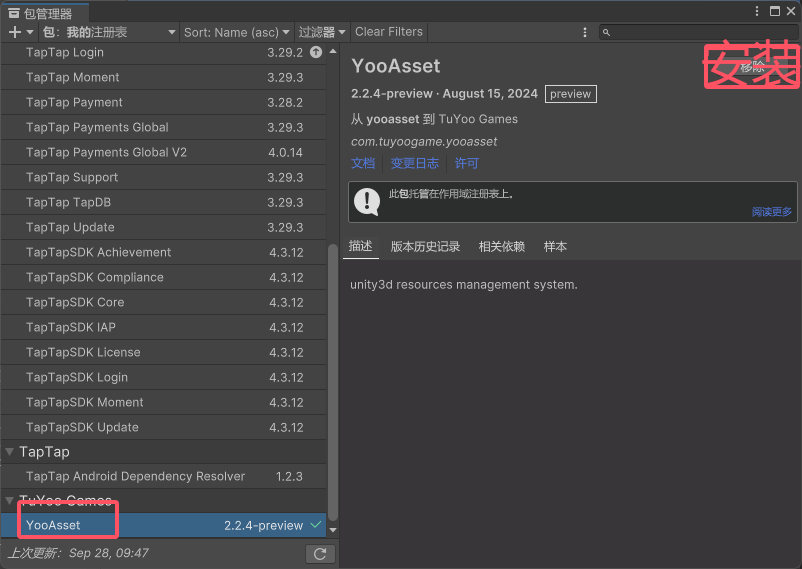
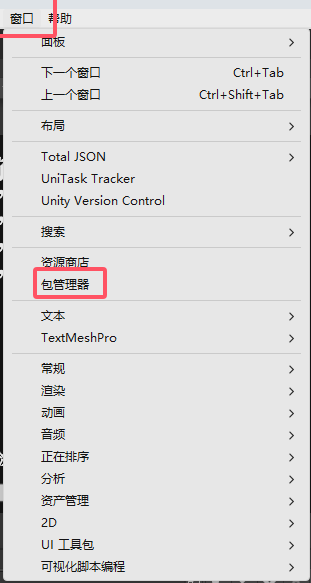
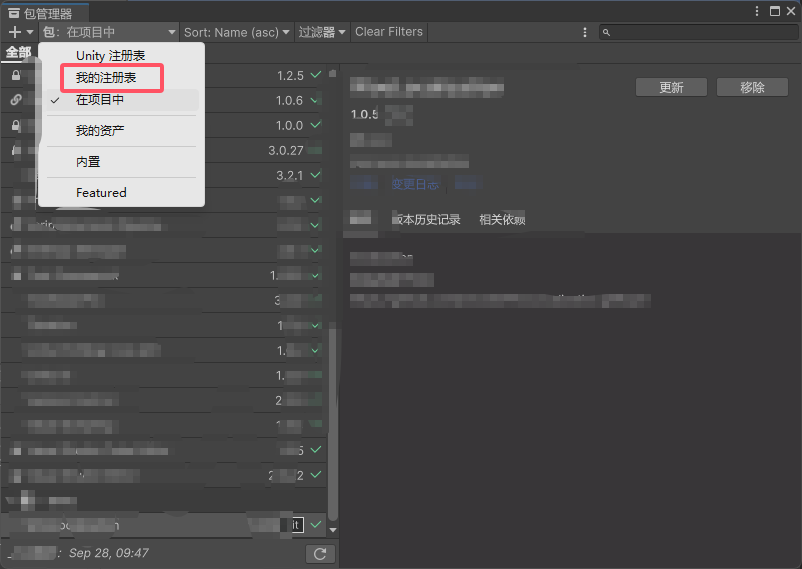
    2. 在主菜单中点击 窗口/包管理器 切换到 我的注册表 安装 YooAsset
    image
    image