ETJava Beta | Java
 注册
登录
注册
登录
注册
登录
注册
登录
游戏登录是玩家进入游戏世界的重要步骤,是玩家进入游戏后接触到的第一个可以交互的界面,它看似简单,但却意义重大。游戏登录不仅是进入游戏的必要步骤,也是保障游戏体验、数据安全和社区互动的关键环节。
HarmonyOS SDK游戏服务(Game Service Kit)主要提供快速、低成本构建游戏基本能力与游戏场景优化服务,有效提升游戏开发效率,帮助您进行游戏运营。游戏服务提供游戏登录能力,允许用户使用华为账号登录游戏,从而迅速推广游戏,共享华为庞大的用户价值。
游戏登录包含使用华为账号登录、使用游戏官方账号登录场景。接入游戏登录后,游戏启动时会进行初始化,并向玩家展示联合登录面板,玩家可以选择任意一种方式进入游戏。
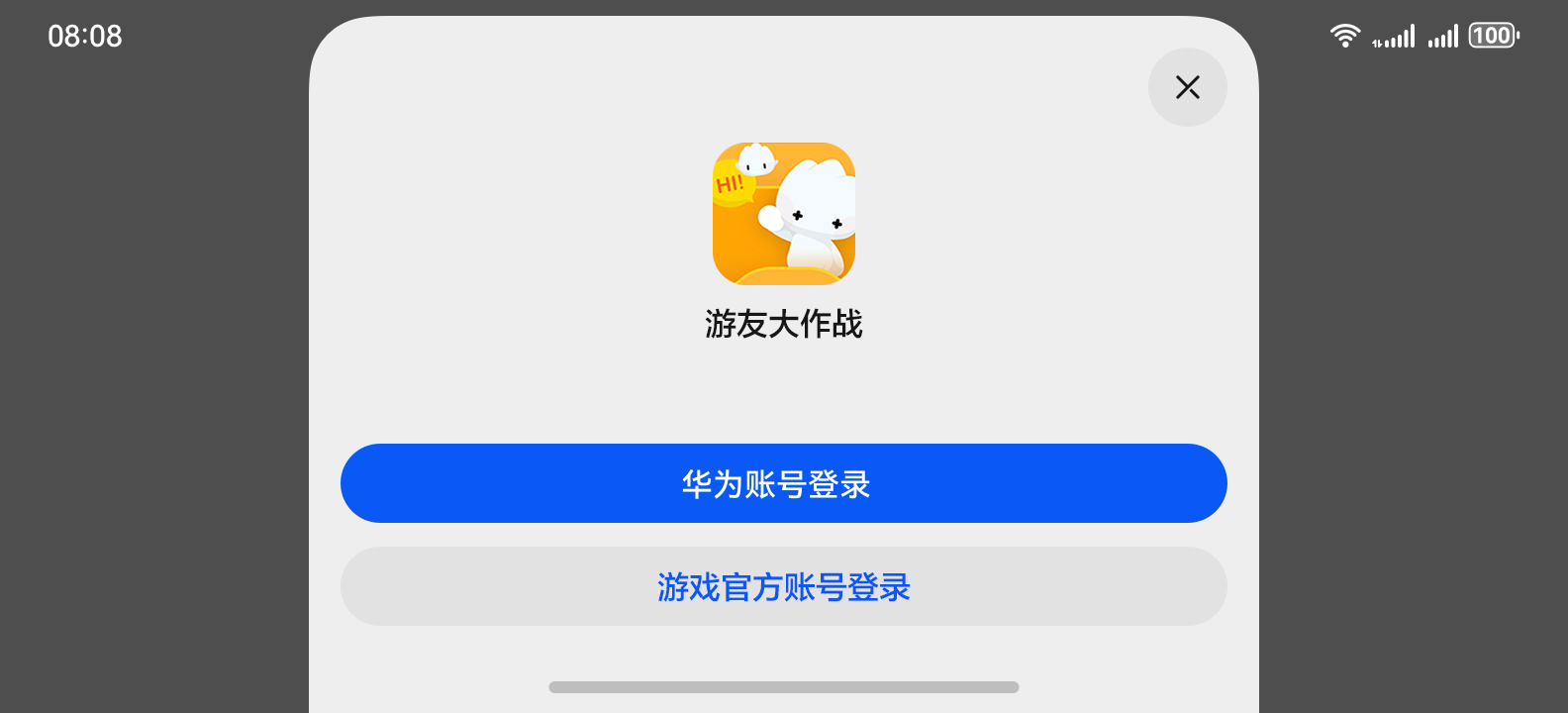
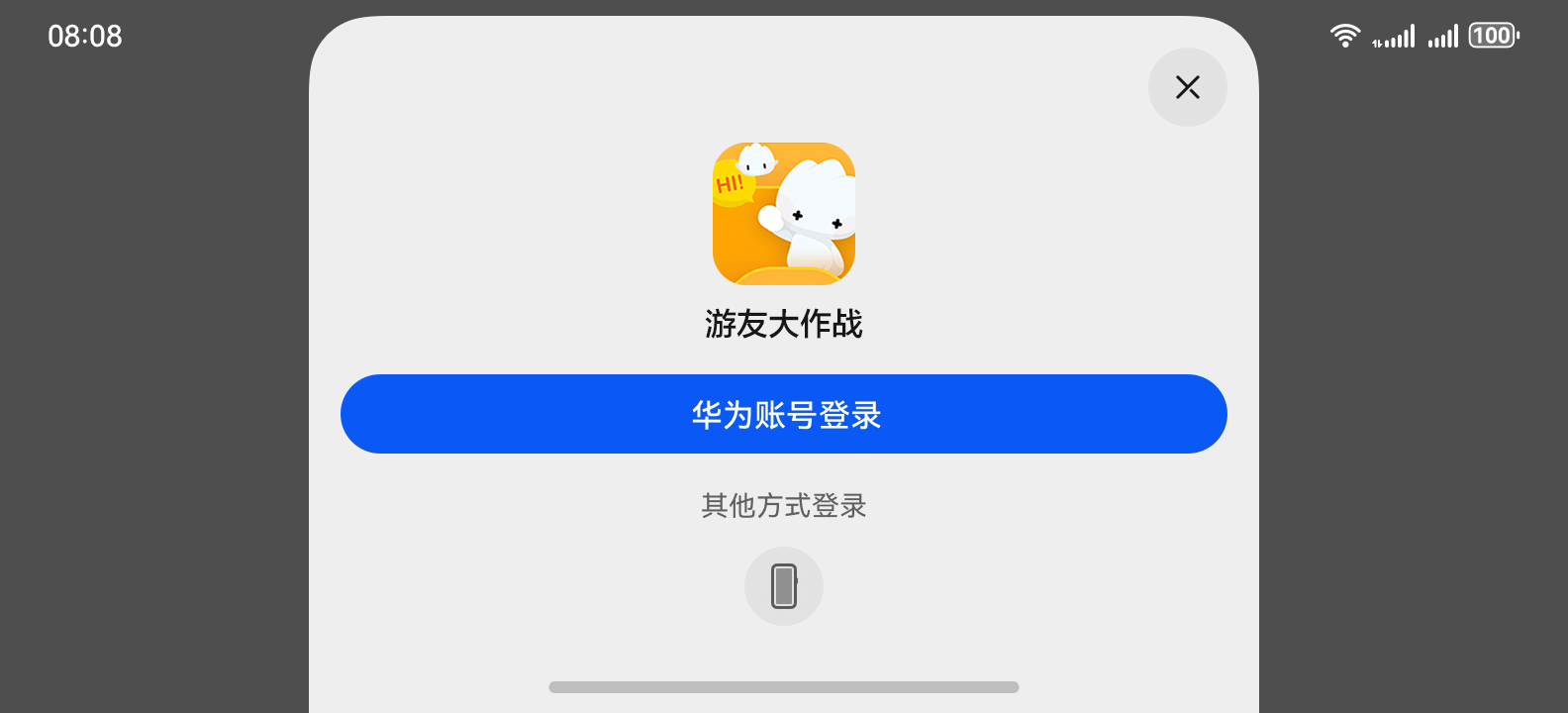
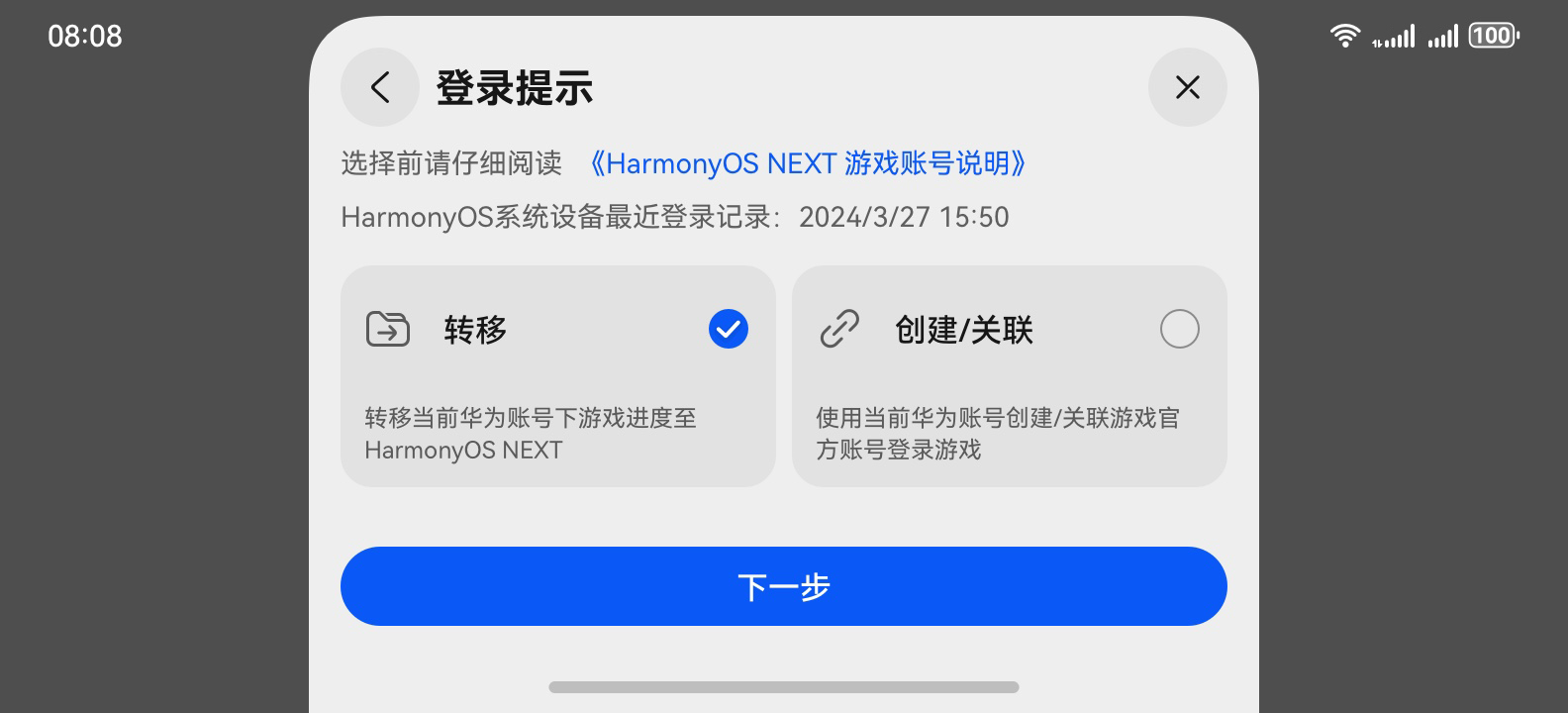
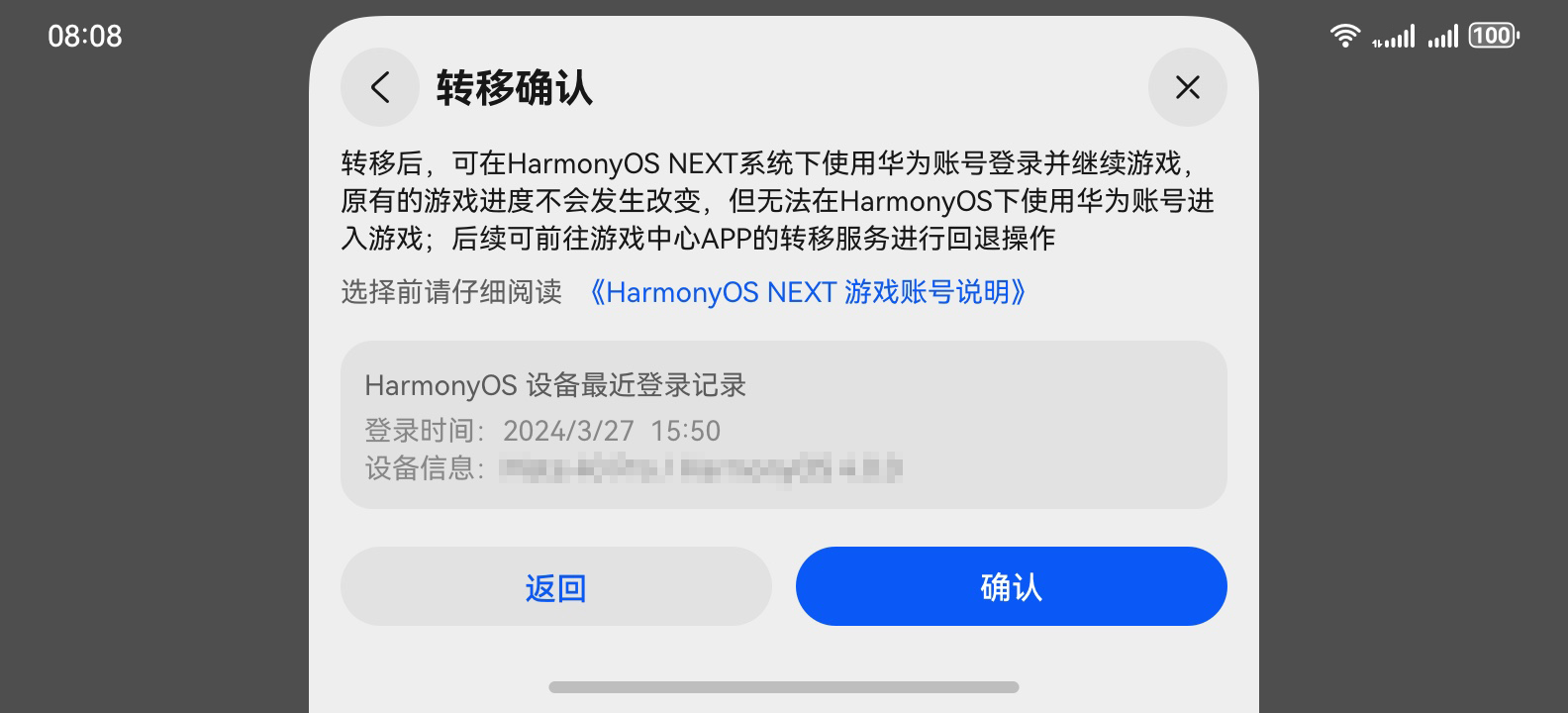
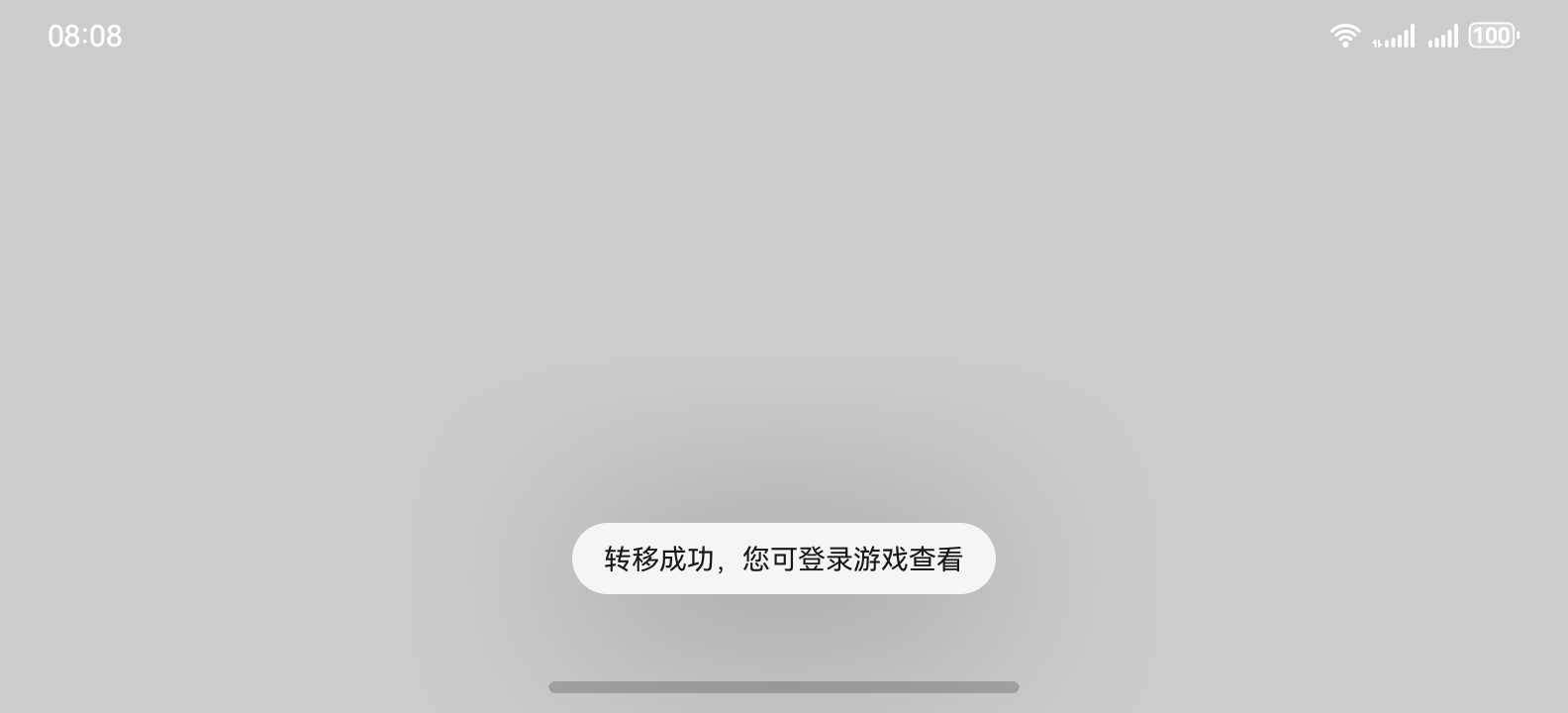
转移场景
将玩家的游戏进度从HarmonyOS/EMUI系统渠道包转移至HarmonyOS NEXT系统包体,即将该华为账号与该游戏HarmonyOS/EMUI系统下渠道包对应的玩家标识ID的值,转移至该华为账号在该游戏HarmonyOS NEXT系统包体对应的玩家标识ID上。转移成功后,玩家可以使用华为账号进入HarmonyOS NEXT游戏,但无法再通过该华为账号进入HarmonyOS/EMUI游戏。
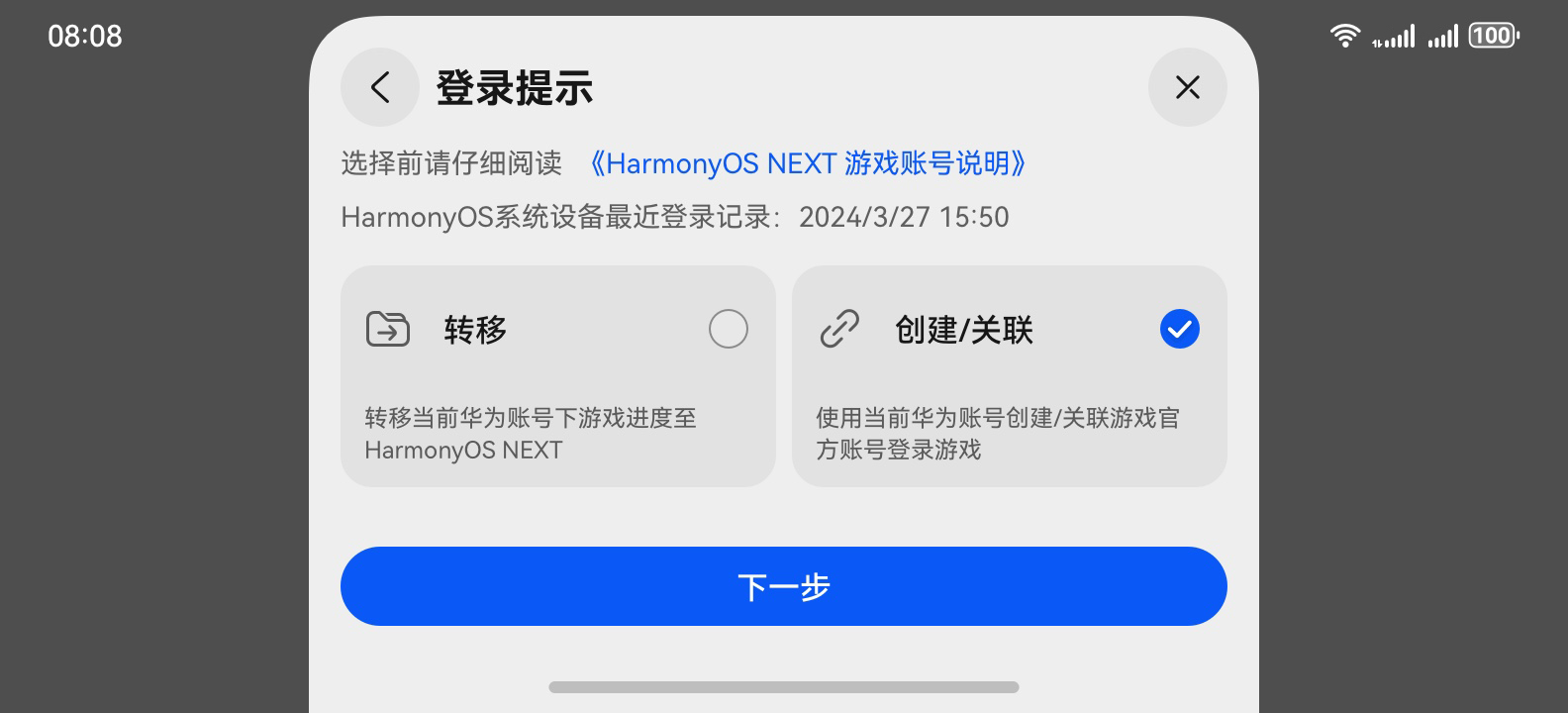
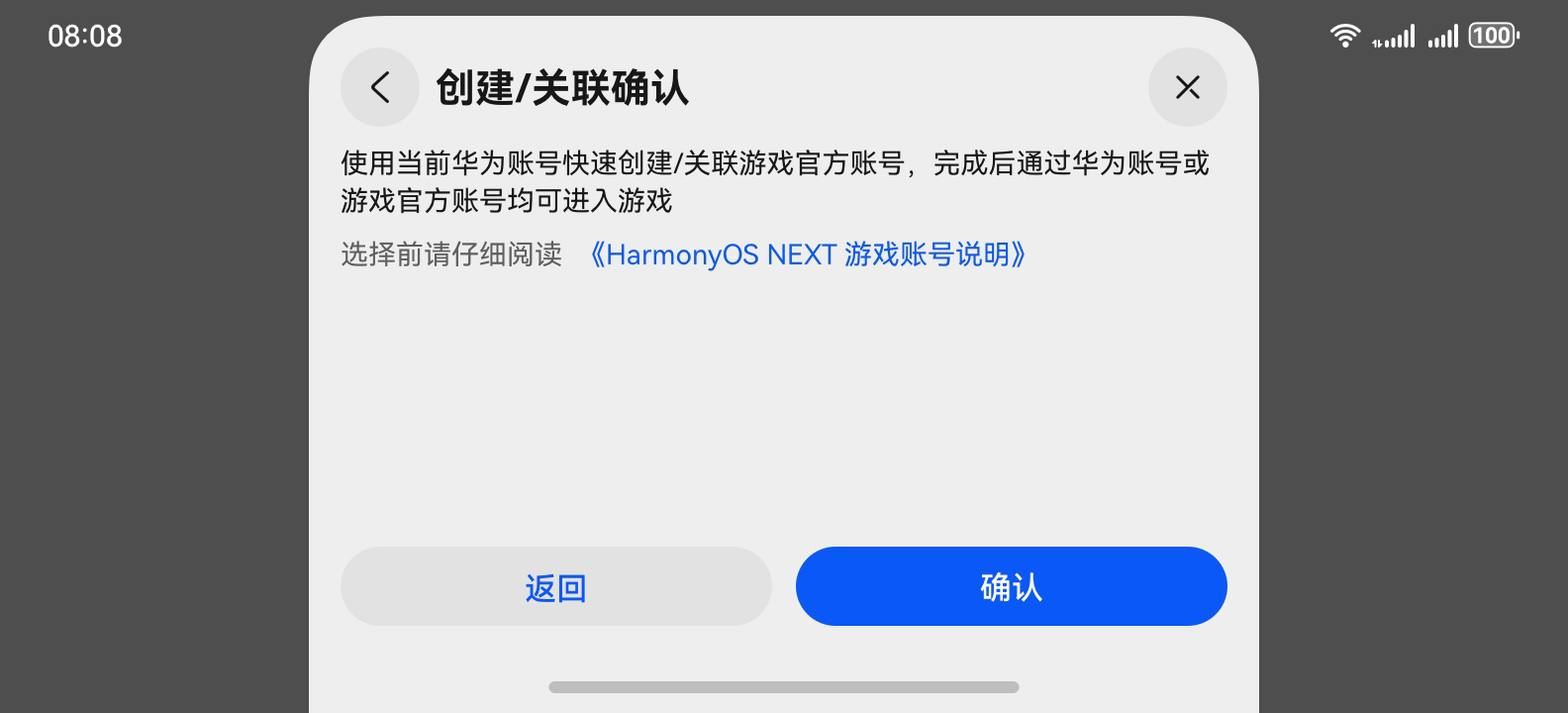
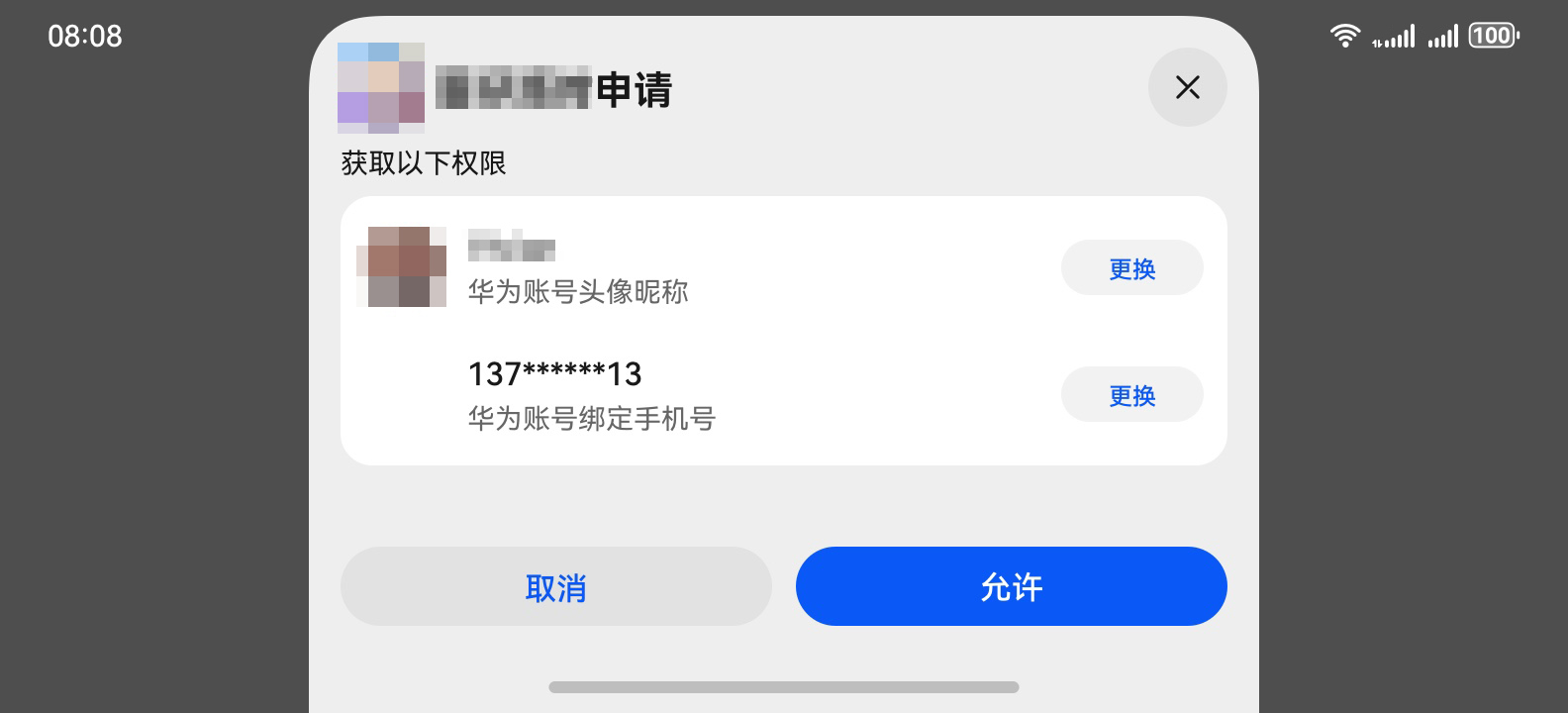
关联场景(快捷登录)
用户授权提供手机号,实现通过华为账号快速创建或关联一个游戏官方账号并进入游戏。
使用游戏官方账号登录
直接通过游戏官方账号登录游戏,用户体验和游戏官方包保持一致。
注:游戏登录涉及的具体步骤请参考接入指南,本文仅阐述关键开发步骤。
初始化成功后,游戏可调用unionLogin接口进行联合登录,Game Service Kit向玩家展示联合登录弹框。
let context = getContext(this) as common.UIAbilityContext;
let thirdAccountInfo1: gamePlayer.ThirdAccountInfo = {
  'accountName': 'testName1', // 游戏开放给玩家接入的账号类型名字,例如"官方账号"、"xx账号"等,并不是具体某个玩家ID或开发者ID。
  'accountIcon': $r('app.media.icon') // 游戏官方账号图标资源信息
};
let request: gamePlayer.UnionLoginParam = {
  showLoginDialog: true,
  thirdAccountInfos: [
    thirdAccountInfo1
  ]
};
try {
  gamePlayer.unionLogin(context, request).then((result: gamePlayer.UnionLoginResult) => {
    hilog.info(0x0000, 'testTag', `Succeeded in logining: ${result?.accountName}`);
  }).catch((error: BusinessError) => {
    hilog.error(0x0000, 'testTag', `Failed to login. Code: ${error.code}, message: ${error.message}`);
  });
} catch (error) {
  let err = error as BusinessError;
  hilog.error(0x0000, 'testTag', `Failed to login. Code: ${err.code}, message: ${err.message}`);
}
游戏判断accountName为"hw_account"时,可根据needBinding值选择通过Account Kit对应的创建授权/登录请求接口,获取用于服务器校验的Authorization Code信息。
需要华为玩家标识与游戏官方账号绑定(needBinding为true)
1.调用createAuthorizationWithHuaweiIDRequest创建授权请求并设置参数。
// 创建授权请求,并设置参数
let authRequest = new authentication.HuaweiIDProvider().createAuthorizationWithHuaweiIDRequest();
// 获取头像、昵称以及手机号授权需要传如下scope
authRequest.scopes = ['profile', 'phone'];
// 若开发者需要进行服务端开发,则需传如下permission获取authorizationCode
authRequest.permissions = ['serviceauthcode'];
// 用户是否需要登录授权,该值为true且用户未登录或未授权时,会拉起用户登录或授权页面
authRequest.forceAuthorization = true;
authRequest.state = util.generateRandomUUID();
2.调用AuthenticationController对象的executeRequest方法执行授权请求,并在Callback中处理授权结果,从授权结果中解析出头像昵称。
// 执行授权请求
try {
  let controller = new authentication.AuthenticationController(getContext(this));
  controller.executeRequest(authRequest, (err, data) => {
    if (err) {
      hilog.error(0x0000, 'testTag', `Failed to authenticate. Code: ${err.code}, message: ${err.message}`);
      return;
    }
    let authorizationWithHuaweiIDResponse = data as authentication.AuthorizationWithHuaweiIDResponse;
    let state = authorizationWithHuaweiIDResponse.state;
    if (state != undefined && authRequest.state != state) {
      hilog.error(0x0000, 'testTag', `Failed to authenticate. State is different.`);
      return;
    }
    hilog.info(0x0000, 'testTag', `Succeeded in authenticating.`);
    let authorizationWithHuaweiIDCredential = authorizationWithHuaweiIDResponse.data!;
    let avatarUri = authorizationWithHuaweiIDCredential.avatarUri;
    let nickName = authorizationWithHuaweiIDCredential.nickName;
    let authorizationCode = authorizationWithHuaweiIDCredential.authorizationCode;
    // 开发者处理vatarUri, nickName, authorizationCode信息
  });
} catch (error) {
  let err = error as BusinessError;
  hilog.error(0x0000, 'testTag', `Failed to authenticate. Code: ${err.code}, message: ${err.message}`);
}
不需要华为玩家标识与游戏官方账号绑定(即needBinding为false)
1.调用createLoginWithHuaweiIDRequest创建登录请求并设置参数。
// 创建登录请求,并设置参数
let loginRequest = new authentication.HuaweiIDProvider().createLoginWithHuaweiIDRequest();
// 当用户未登录华为账号时,是否强制拉起华为账号登录界面
loginRequest.forceLogin = true;
loginRequest.state = util.generateRandomUUID();
2.调用AuthenticationController对象的executeRequest方法执行登录请求,并在Callback中处理登录结果,获取到Authorization Code。
// 执行登录请求
try {
  let controller = new authentication.AuthenticationController(getContext(this));
  controller.executeRequest(loginRequest, (err, data) => {
    if (err) {
      hilog.error(0x0000, 'testTag', `Failed to login. Code: ${err.code}, message: ${err.message}`);
      return;
    }
    let loginWithHuaweiIDResponse = data as authentication.LoginWithHuaweiIDResponse;
    let state = loginWithHuaweiIDResponse.state;
    if (state != undefined && loginRequest.state != state) {
      hilog.error(0x0000, 'testTag', `Failed to login. State is different.`);
      return;
    }
    hilog.info(0x0000, 'testTag', `Succeeded in logining.`);

    let loginWithHuaweiIDCredential = loginWithHuaweiIDResponse.data!;
    let authorizationCode = loginWithHuaweiIDCredential.authorizationCode;
    // 开发者处理authorizationCode
  });
} catch (error) {
  let err = error as BusinessError;
  hilog.error(0x0000, 'testTag', `Failed to login. Code: ${err.code}, message: ${err.message}`);
}
关联游戏官方账号
当联合登录接口获取的needBinding值为true时,游戏可调用bindPlayer接口绑定华为玩家标识teamPlayerId与游戏官方账号。
let context = getContext(this) as common.UIAbilityContext;
let thirdOpenId = '123xxxx'; // thirdOpenId表示游戏官方账号ID
let teamPlayerId = '456xxx'; // teamPlayerId表示玩家华为账号对应的teamPlayerId
try {
  gamePlayer.bindPlayer(context, thirdOpenId, teamPlayerId).then(() => {
    hilog.info(0x0000, 'testTag', `Succeeded in binding.`);
  }).catch((error: BusinessError) => {
    hilog.error(0x0000, 'testTag', `Failed to bind. Code: ${error.code}, message: ${error.message}`);
  });
} catch (error) {
  let err = error as BusinessError;
  hilog.error(0x0000, 'testTag', `Failed to bind. Code: ${err.code}, message: ${err.message}`);
}
未成年人防沉迷
调用verifyLocalPlayer接口进行账号实名认证和游戏防沉迷管控合规校验。
let context = getContext(this) as common.UIAbilityContext;
let request: gamePlayer.ThirdUserInfo = {
  thirdOpenId: '123xxxx', // 游戏官方账号ID
  isRealName: true // 玩家是否实名,该值为true时表示已实名,为false时表示未实名
};
try {
  gamePlayer.verifyLocalPlayer(context, request).then(() => {
    hilog.info(0x0000, 'testTag', `Succeeded in verifying.`);
  }).catch((error: BusinessError) => {
    hilog.error(0x0000, 'testTag', `Failed to verify. Code: ${error.code}, message: ${error.message}`);
  });
} catch (error) {
  let err = error as BusinessError;
  hilog.error(0x0000, 'testTag', `Failed to verify. Code: ${err.code}, message: ${err.message}`);
}
提交玩家角色信息
玩家成功登录游戏并选择角色、区服后,游戏需要调用savePlayerRole接口,将玩家角色信息上报至华为服务器。
let context = getContext(this) as common.UIAbilityContext;
let request: gamePlayer.GSKPlayerRole = {
  roleId: '123',   // 玩家角色ID,如游戏没有角色系统,请传入"0",务必不要传""和null。
  roleName: 'Jason', // 玩家角色名,如游戏没有角色系统,请传入"default",务必不要传""和null。
  serverId: '456',
  serverName: 'Zhangshan',
  gamePlayerId: '789', // 若是转移场景,请根据实际获取到的gamePlayerId传值。
  teamPlayerId: '345', // 若是关联场景,请根据实际获取到的teamPlayerId传值。
  thirdOpenId: '123'   // 若游戏官方账号登录,请根据实际获取到的thirdOpenId传值。
};
try {
  gamePlayer.savePlayerRole(context, request).then(() => {
     hilog.info(0x0000, 'testTag', `Succeeded in saving.`);
  });
} catch (error) {
  let err = error as BusinessError;
  hilog.error(0x0000, 'testTag', `Failed to save. Code: ${err.code}, message: ${err.message}`);
}
了解更多详情>>
访问游戏服务联盟官网
 官方公众号
官方公众号