ETJava Beta | Java
 注册
登录
注册
登录
注册
登录
注册
登录
在ASP.NET Core里,我们可以使用中间件(Middleware)实现全局的异常处理。 如内置的异常处理中间件 UseExceptionHandler
app.UseExceptionHandler(appError =>
        {
            appError.Run(async context =>
            {
                context.Response.StatusCode = (int)HttpStatusCode.InternalServerError;
                context.Response.ContentType = "application/json";
                var contextFeature = context.Features.Get<IExceptionHandlerFeature>();
                if (contextFeature != null)
                {
                    logger.LogError($"Something went wrong: {contextFeature.Error}");
                    await context.Response.WriteAsync(new ErrorDetails()
                    {
                        StatusCode = context.Response.StatusCode,
                        Message = "Internal Server Error."
                    }.ToString());
                }
            });
        });
或者如下干脆完全自定义一个中间件
public class ExceptionMiddleware
{
    private readonly RequestDelegate _next;
    private readonly ILoggerManager _logger;
    public ExceptionMiddleware(RequestDelegate next, ILoggerManager logger)
    {
        _logger = logger;
        _next = next;
    }
    public async Task InvokeAsync(HttpContext httpContext)
    {
        try
        {
            await _next(httpContext);
        }
        catch (Exception ex)
        {
            _logger.LogError($"Something went wrong: {ex}");
            await HandleExceptionAsync(httpContext, ex);
        }
    }
    private async Task HandleExceptionAsync(HttpContext context, Exception exception)
    {
        context.Response.ContentType = "application/json";
        context.Response.StatusCode = (int)HttpStatusCode.InternalServerError;
        await context.Response.WriteAsync(new ErrorDetails()
        {
            StatusCode = context.Response.StatusCode,
            Message = "Internal Server Error from the custom middleware."
        }.ToString());
    }
}
当然还可以使用过滤器(Filter)来实现,即IExceptionFilter, 这些都能很方便实现自定义的全局异常处理。
在.NET 8.0里,微软新引入的IExceptionHandler也可以实现同样的功能,看官方的异常处理文档,IExceptionHandler似乎已经是最推荐的异常处理方法。
在微软新开的项目里,IExceptionHandler正被广泛使用,比如Semantic Kernel
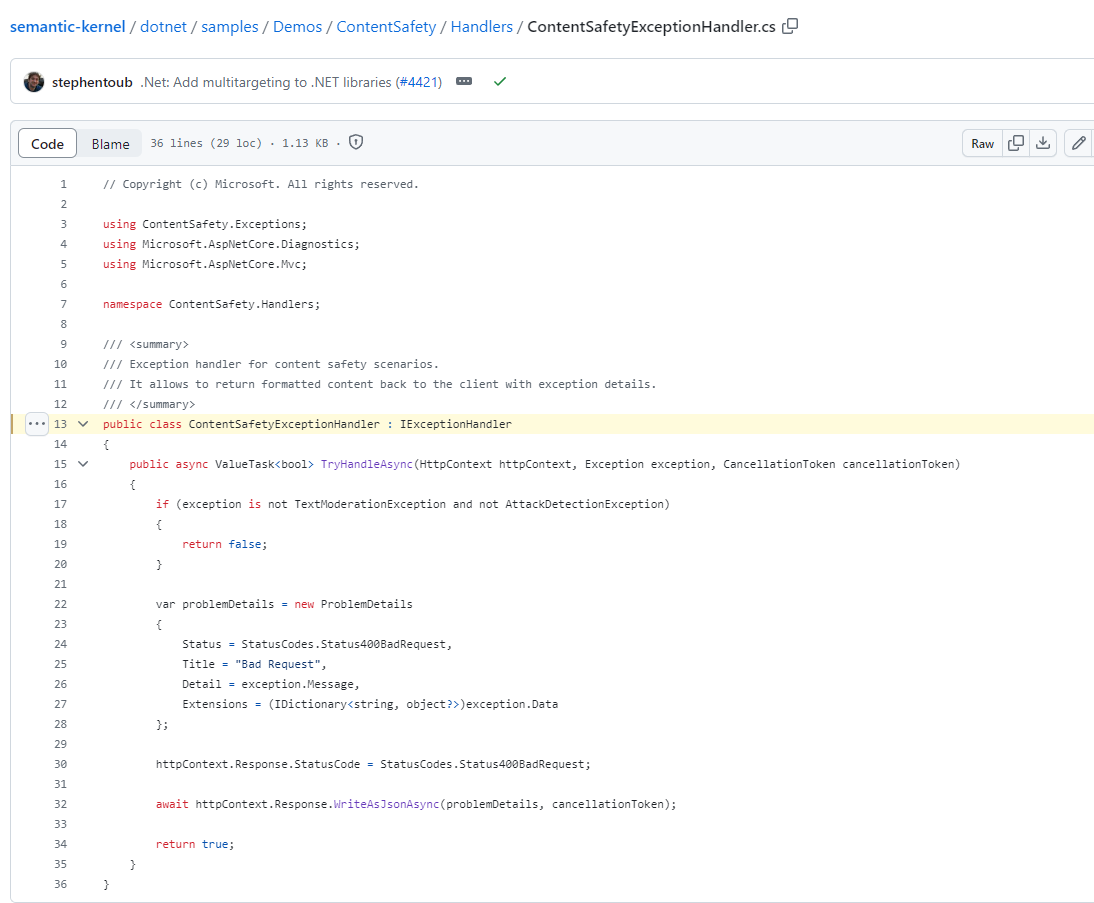
下面是官方文档给的一个简单实现
using Microsoft.AspNetCore.Diagnostics;

namespace ErrorHandlingSample
{
    public class CustomExceptionHandler : IExceptionHandler
    {
        private readonly ILogger<CustomExceptionHandler> logger;
        public CustomExceptionHandler(ILogger<CustomExceptionHandler> logger)
        {
            this.logger = logger;
        }
        public ValueTask<bool> TryHandleAsync(
            HttpContext httpContext,
            Exception exception,
            CancellationToken cancellationToken)
        {
            var exceptionMessage = exception.Message;
            logger.LogError(
                "Error Message: {exceptionMessage}, Time of occurrence {time}",
                exceptionMessage, DateTime.UtcNow);
            // Return false to continue with the default behavior
            // - or - return true to signal that this exception is handled
            return ValueTask.FromResult(false);
        }
    }
}
使用也很简单
builder.Services.AddExceptionHandler<CustomExceptionHandler>();
然而,如果你按照文档实现完之后,你所期待的自定义异常处理并不会生效,你必须添加一个空的lambda给UseExceptionHandler,AddExceptionHandler才会生效:)
app.UseExceptionHandler(o => { });
为什么会这样?看这个https://github.com/dotnet/aspnetcore/issues/51888, 去年下半年就有人发现了,微软尝试修复https://github.com/dotnet/aspnetcore/pull/51898, 但是改动有breaking change给拒绝了,加上有上面提到的workaround,就一直搁置了。
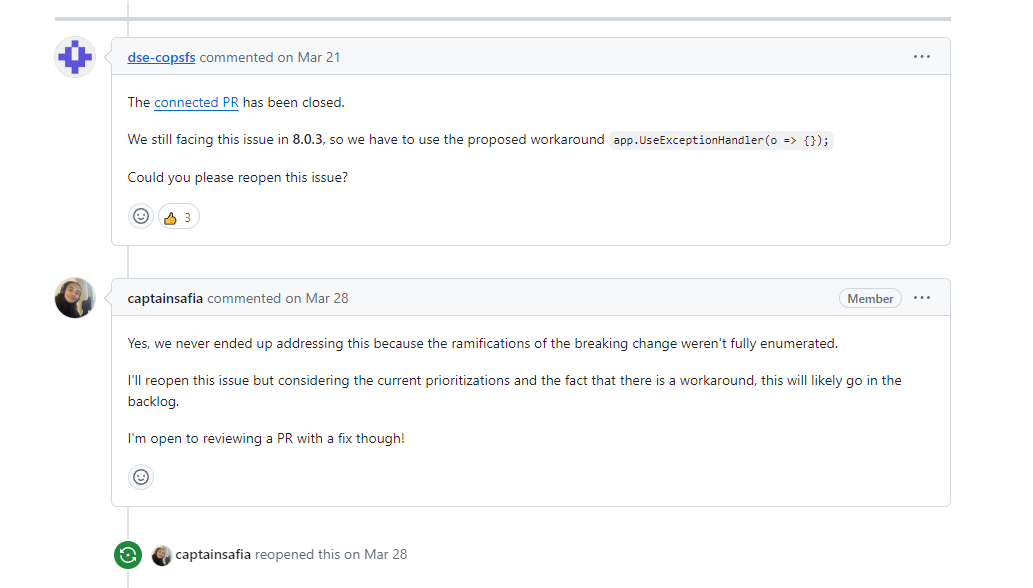
虽然又不是不能用,但是看着难受,开头就介绍了,UseExceptionHandler是启用内置的异常处理中间件的方法,而AddExceptionHandler是用来注册.NET 8.0新引入的IExceptionHandler,这个workaround有点一言难尽,欢迎踊跃提交PR去fix,先到先得
 官方公众号
官方公众号