ETJava Beta | Java
 注册
登录
注册
登录
注册
登录
注册
登录
playwright也是可以做接口测试的,但个人觉得还是没有requests库强大,但和selenium相比的话,略胜一筹,毕竟支持API登录,也就是说可以不用交互直接调用接口操作了。
既然是API的测试了,那肯定就别搞UI自动化那套,搞什么浏览器交互,那叫啥API测试,纯属扯淡。
也不像有些博主更懒,直接贴的官方例子,难道我用你再帮我复制一次?
来下面,说明下使用playwright如何做API测试?
示例代码如下:
playwright.request.new_context()
没错,实例化后,就是调API,看吧,其实也不是很难是不是?
这里用我自己写的学生管理系统的部分接口来做演示,并对部分常用api做以说明,代码示例都是用同步的写法。
示例如下:
def testQueryStudent(playwright: Playwright):
    """
    查询学生
    """
    url = 'http://localhost:8090/studentFindById'
    param = {
        'id': 105
    }
    request_context = playwright.request.new_context()
    response = request_context.get(url=url, params=param)
    assert response.ok
    assert response.json()
    print('\n', response.json())
效果:
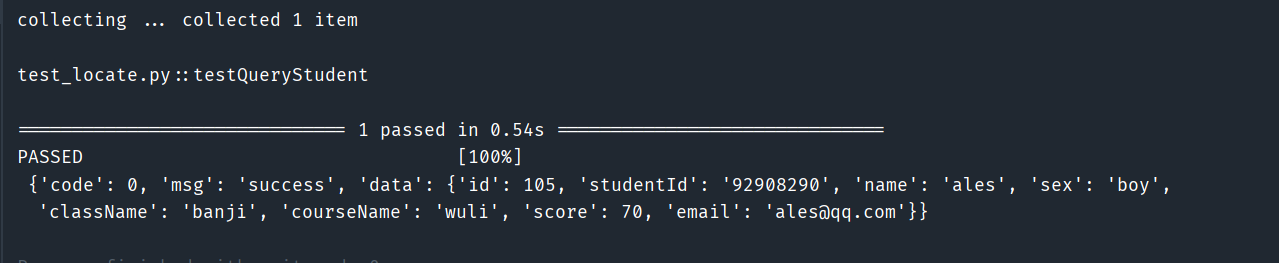
示例代码:
def testAddStudent(playwright: Playwright):
    """
    新增学生
    :return:
    """
    url = 'http://localhost:8090/studentAdd'
    request_body = {
        "className": "banji",
        "courseName": "wuli",
        "email": "ales@qq.com",
        "name": "ales",
        "score": 70,
        "sex": "boy",
        "studentId": "92908290"
    }
    header = {"Content-Type": "application/json"}
    request_context = playwright.request.new_context()
    response = request_context.post(url=url, headers=header, data=request_body)
    assert response.ok
    assert response.json()
    print('\n', response.json())
效果:
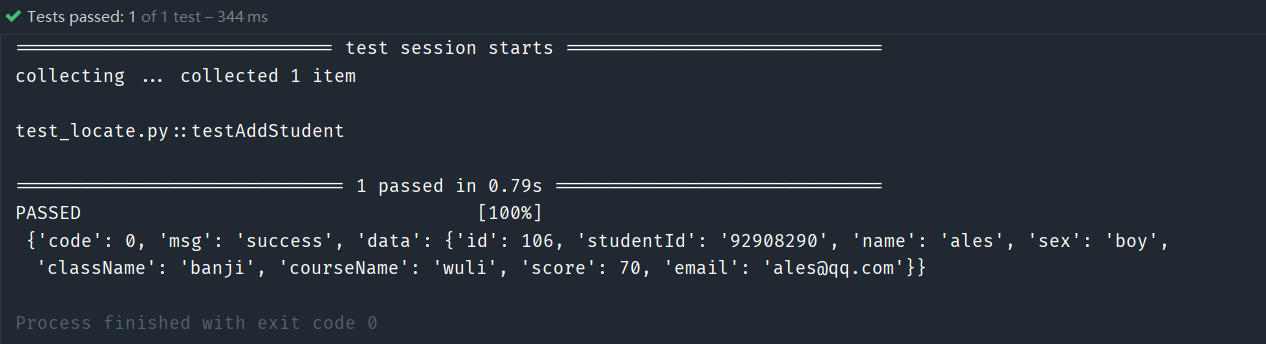
示例代码:
def testUpdateStudents(playwright: Playwright):
    """
    修改学生
    """
    url = 'http://localhost:8090/studentUpdate/100'
    param = {
        'studentId': "id" + str(100),
        'name': "name" + str(100),
        'score': 100,
        "sex": "girl",
        "className": "class" + str(100),
        "courseName": "course" + str(100),
        "email": str(100) + "email@qq.com"

    }
    request_context = playwright.request.new_context()
    response = request_context.put(url=url, form=param)
    assert response.ok
    assert response.json()
    print('\n', response.json())
效果:
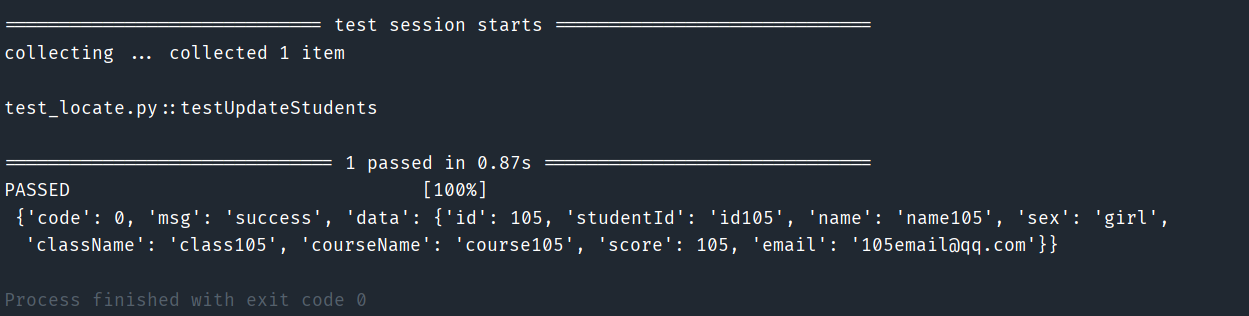
示例代码:
def testDeleteStudents(playwright: Playwright):
    """
    删除学生
    """
    url = 'http://localhost:8090/studentDelete/' + str(105)
    request_context = playwright.request.new_context()
    response = request_context.delete(url=url)
    assert response.ok
    assert response.json()
    print('\n', response.json())
效果:
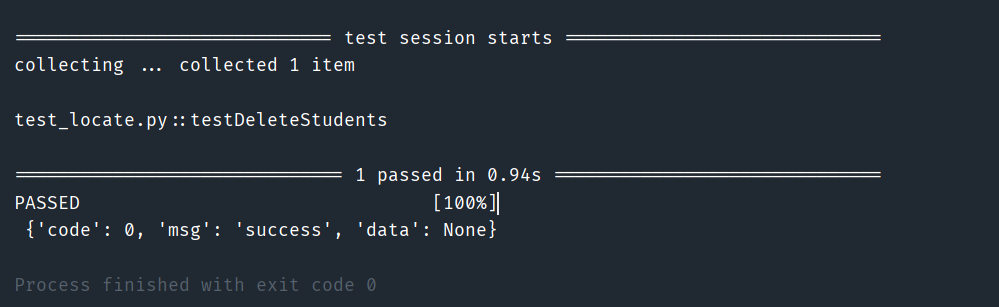
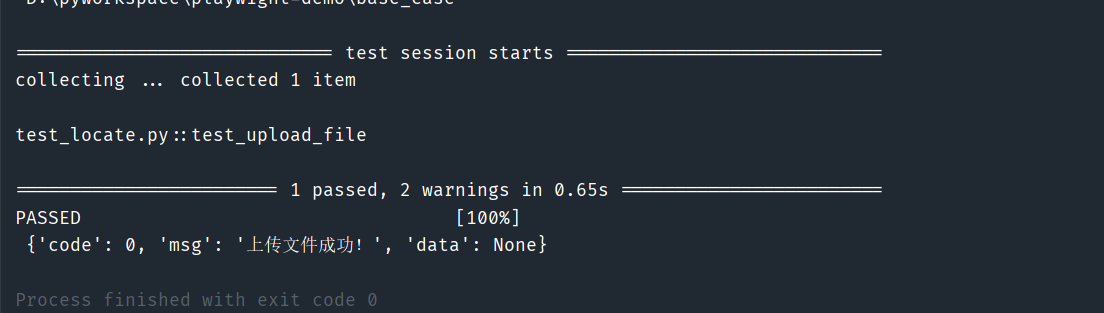
这个是特例吧,按照官方给的方法,我真的是死活也不能成功,一直都是提示上上传文件不能为空,也不到为啥,结果我用了一个替代方案,就是抓包模拟的构造入参,才成功,也是曲折呀。
示例代码:
def test_upload_file(playwright: Playwright):
    '''
    上传文件
    :param playwright:
    :return:
    '''
    # 创建请求上下文
    request_context = playwright.request.new_context()

    # 定义上传文件的URL
    upload_url = "http://localhost:8090/fileUpload"

    # 文件路径
    file_path = "d:/demo.txt"

    # 获取文件名和MIME类型
    filename = file_path.split('/')[-1]
    mime_type, _ = mimetypes.guess_type(file_path)
    if not mime_type:
        mime_type = 'application/octet-stream'

    # 读取文件内容
    with open(file_path, 'rb') as file:
        file_content = file.read()

    # 构造multipart/form-data的边界字符串
    boundary = '---------------------' + str(random.randint(1e28, 1e29 - 1))

    # 构造请求体
    body = (
        f'--{boundary}\r\n'
        f'Content-Disposition: form-data; name="file"; filename="{filename}"\r\n'
        f'Content-Type: {mime_type}\r\n\r\n'
        f'{file_content.decode("utf-8") if mime_type.startswith("text/") else file_content.hex()}'
        f'\r\n--{boundary}--\r\n'
    ).encode('utf-8')

    # 设置请求头
    headers = {
        'Content-Type': f'multipart/form-data; boundary={boundary}',
    }
    # 发起POST请求
    response = request_context.post(upload_url, data=body, headers=headers)

    # 检查响应
    assert response.status == 200, f"Upload failed with status: {response.status}"
    assert response.ok
    assert response.json()
    print('\n', response.json())
效果:
官方写法:
# 读取文件内容
with open(file_path, 'rb') as file:
    file_content = file.read()
    response = request_context.post(upload_url, multipart={
        "fileField": {
            "name": "demo.txt",
            "mimeType": "text/plain",
            "buffer": file_content,
        }
    })
print('\n', response.json())
效果:

官方写法,我不知道为啥,有大侠知道,还请帮忙给个例子,小弟不胜感激呀!
我还是觉得微软很强呀,这套框架确实比selenium略胜一筹,综合来看。
终于有时间了,来更新一篇,感觉文章对你有用,转发留言都可,谢谢!
对了,那个上传文件的为啥不行,还请前辈们帮看一下呀!
 官方公众号
官方公众号