ETJava Beta | Java
 注册
登录
注册
登录
注册
登录
注册
登录
在使用SiliconCloud之前,先使用OpenAI的模型看看GraphRag的效果。
GraphRAG是一种基于AI的内容理解和搜索能力,利用LLMs,解析数据以创建知识图谱,并对用户提供的私有数据集回答用户问题的方法。
GitHub地址:https://github.com/microsoft/graphrag
官网:https://microsoft.github.io/graphrag
现在正式开始体验GraphRag吧。
温馨提示
GraphRag Token的消费量比较大,刚开始体验可以不按照官方的配置,改用字数少一点的文本以及换成gpt-4o-mini模型。
以沈从文的《边城》为例。
创建一个Python虚拟环境,安装GraphRag:
pip install graphrag
安装好了之后:
mkdir biancheng
mkdir input
就是创建两个文件夹,也可以手动操作,然后将《边城》txt文件放到input文件夹下,如下所示:
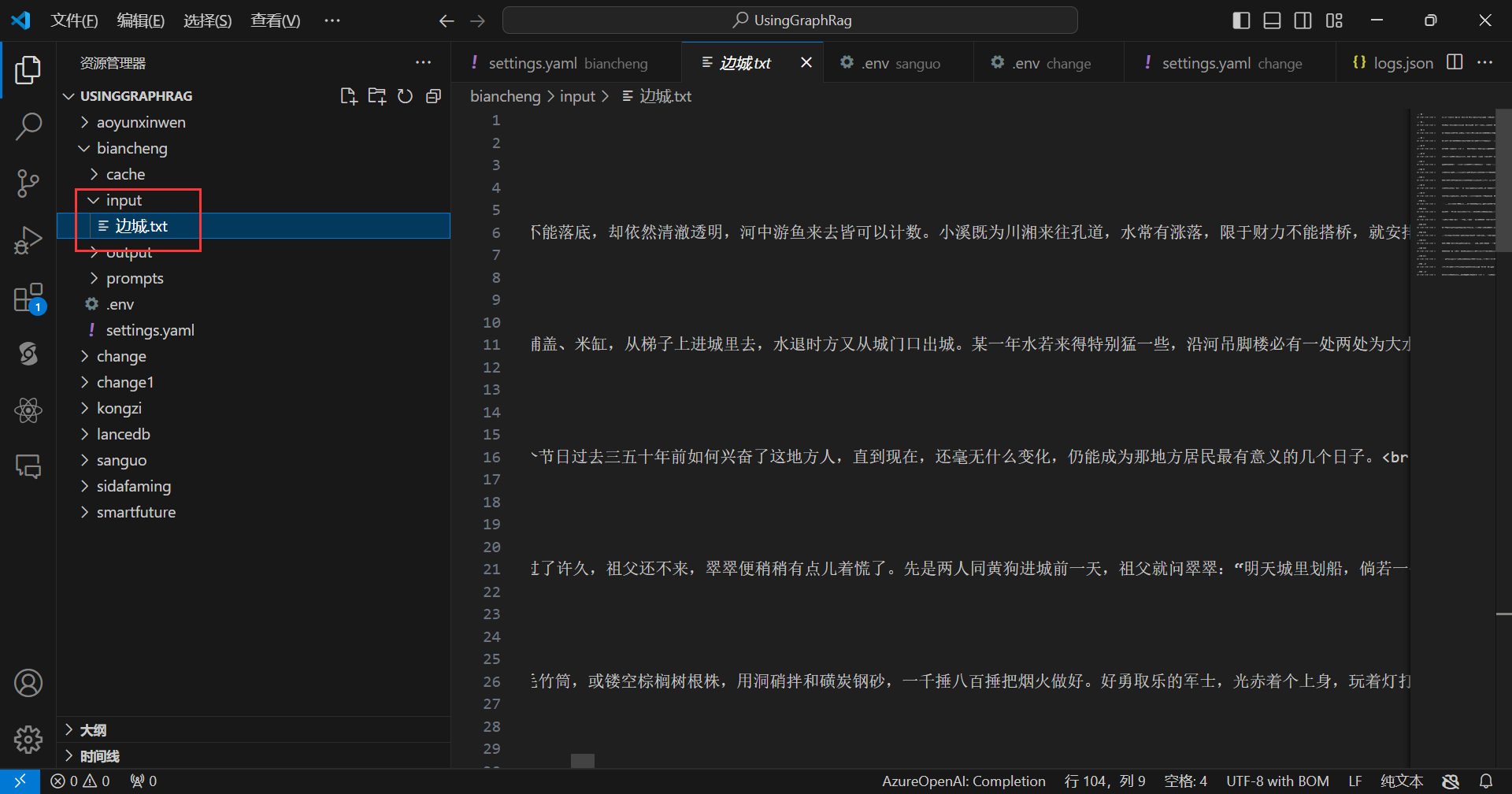
开始初始化:
python -m graphrag.index --init --root ./biancheng
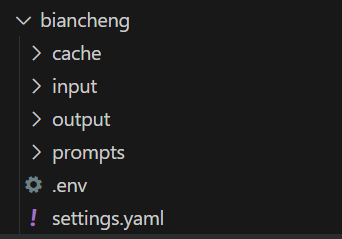
完成后,会出现一些文件,如下所示:
在.env文件中输入OpenAI Api Key,如下所示:

在settings.yaml文件中做一些配置,在这里我的配置如下:
encoding_model: cl100k_base
skip_workflows: []
llm:
  api_key: ${GRAPHRAG_API_KEY}
  type: openai_chat # or azure_openai_chat
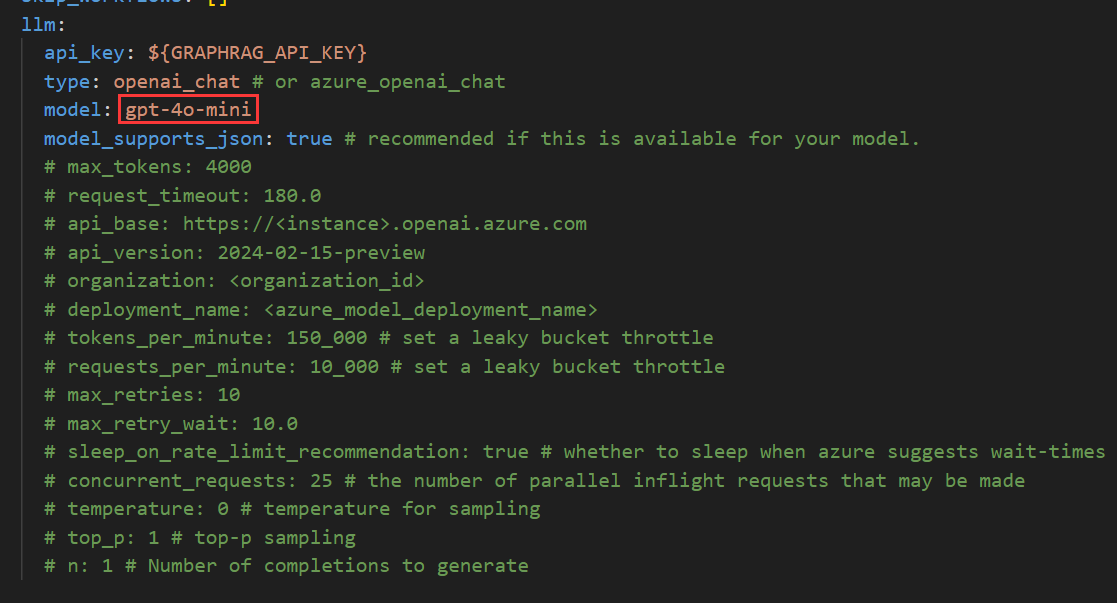
  model: gpt-4o-mini
  model_supports_json: true # recommended if this is available for your model.
  # max_tokens: 4000
  # request_timeout: 180.0
  # api_base: https://<instance>.openai.azure.com
  # api_version: 2024-02-15-preview
  # organization: <organization_id>
  # deployment_name: <azure_model_deployment_name>
  # tokens_per_minute: 150_000 # set a leaky bucket throttle
  # requests_per_minute: 10_000 # set a leaky bucket throttle
  # max_retries: 10
  # max_retry_wait: 10.0
  # sleep_on_rate_limit_recommendation: true # whether to sleep when azure suggests wait-times
  # concurrent_requests: 25 # the number of parallel inflight requests that may be made
  # temperature: 0 # temperature for sampling
  # top_p: 1 # top-p sampling
  # n: 1 # Number of completions to generate

parallelization:
  stagger: 0.3
  # num_threads: 50 # the number of threads to use for parallel processing

async_mode: threaded # or asyncio

embeddings:
  ## parallelization: override the global parallelization settings for embeddings
  async_mode: threaded # or asyncio
  llm:
    api_key: ${GRAPHRAG_API_KEY}
    type: openai_embedding # or azure_openai_embedding
    model: text-embedding-3-small
    # api_base: https://<instance>.openai.azure.com
    # api_version: 2024-02-15-preview
    # organization: <organization_id>
    # deployment_name: <azure_model_deployment_name>
    # tokens_per_minute: 150_000 # set a leaky bucket throttle
    # requests_per_minute: 10_000 # set a leaky bucket throttle
    # max_retries: 10
    # max_retry_wait: 10.0
    # sleep_on_rate_limit_recommendation: true # whether to sleep when azure suggests wait-times
    # concurrent_requests: 25 # the number of parallel inflight requests that may be made
    # batch_size: 16 # the number of documents to send in a single request
    # batch_max_tokens: 8191 # the maximum number of tokens to send in a single request
    # target: required # or optional


chunks:
  size: 1200
  overlap: 100
  group_by_columns: [id] # by default, we don't allow chunks to cross documents

input:
  type: file # or blob
  file_type: text # or csv
  base_dir: "input"
  file_encoding: utf-8
  file_pattern: ".*\\.txt$"

cache:
  type: file # or blob
  base_dir: "cache"
  # connection_string: <azure_blob_storage_connection_string>
  # container_name: <azure_blob_storage_container_name>

storage:
  type: file # or blob
  base_dir: "output/${timestamp}/artifacts"
  # connection_string: <azure_blob_storage_connection_string>
  # container_name: <azure_blob_storage_container_name>

reporting:
  type: file # or console, blob
  base_dir: "output/${timestamp}/reports"
  # connection_string: <azure_blob_storage_connection_string>
  # container_name: <azure_blob_storage_container_name>

entity_extraction:
  ## llm: override the global llm settings for this task
  ## parallelization: override the global parallelization settings for this task
  ## async_mode: override the global async_mode settings for this task
  prompt: "prompts/entity_extraction.txt"
  entity_types: [organization,person,geo,event]
  max_gleanings: 1

summarize_descriptions:
  ## llm: override the global llm settings for this task
  ## parallelization: override the global parallelization settings for this task
  ## async_mode: override the global async_mode settings for this task
  prompt: "prompts/summarize_descriptions.txt"
  max_length: 500

claim_extraction:
  ## llm: override the global llm settings for this task
  ## parallelization: override the global parallelization settings for this task
  ## async_mode: override the global async_mode settings for this task
  # enabled: true
  prompt: "prompts/claim_extraction.txt"
  description: "Any claims or facts that could be relevant to information discovery."
  max_gleanings: 1

community_reports:
  ## llm: override the global llm settings for this task
  ## parallelization: override the global parallelization settings for this task
  ## async_mode: override the global async_mode settings for this task
  prompt: "prompts/community_report.txt"
  max_length: 2000
  max_input_length: 8000

cluster_graph:
  max_cluster_size: 10

embed_graph:
  enabled: false # if true, will generate node2vec embeddings for nodes
  # num_walks: 10
  # walk_length: 40
  # window_size: 2
  # iterations: 3
  # random_seed: 597832

umap:
  enabled: false # if true, will generate UMAP embeddings for nodes

snapshots:
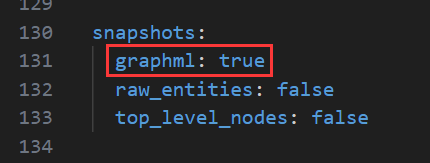
  graphml: true
  raw_entities: false
  top_level_nodes: false

local_search:
  # text_unit_prop: 0.5
  # community_prop: 0.1
  # conversation_history_max_turns: 5
  # top_k_mapped_entities: 10
  # top_k_relationships: 10
  # llm_temperature: 0 # temperature for sampling
  # llm_top_p: 1 # top-p sampling
  # llm_n: 1 # Number of completions to generate
  # max_tokens: 12000

global_search:
  # llm_temperature: 0 # temperature for sampling
  # llm_top_p: 1 # top-p sampling
  # llm_n: 1 # Number of completions to generate
  # max_tokens: 12000
  # data_max_tokens: 12000
  # map_max_tokens: 1000
  # reduce_max_tokens: 2000
  # concurrency: 32
为了节约成本,把模型换成了gpt-4o-mini:
为了后面在Gephi等软件中查看graphml文件,这里改成了true:
这样就配置好了,现在开始索引化:
python -m graphrag.index --root ./biancheng
索引化完成截图:
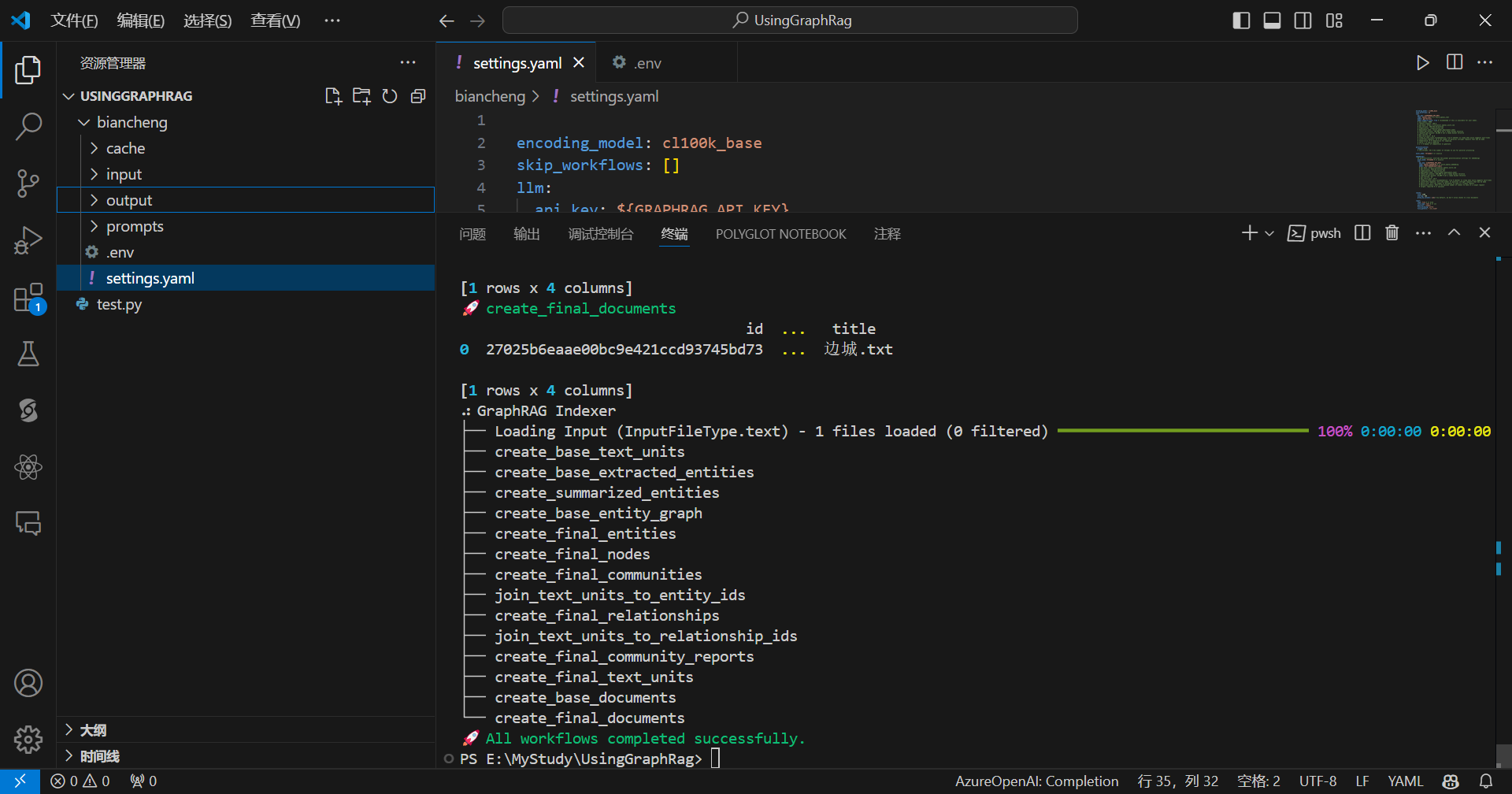
现在可以查看一下生成的节点和边:
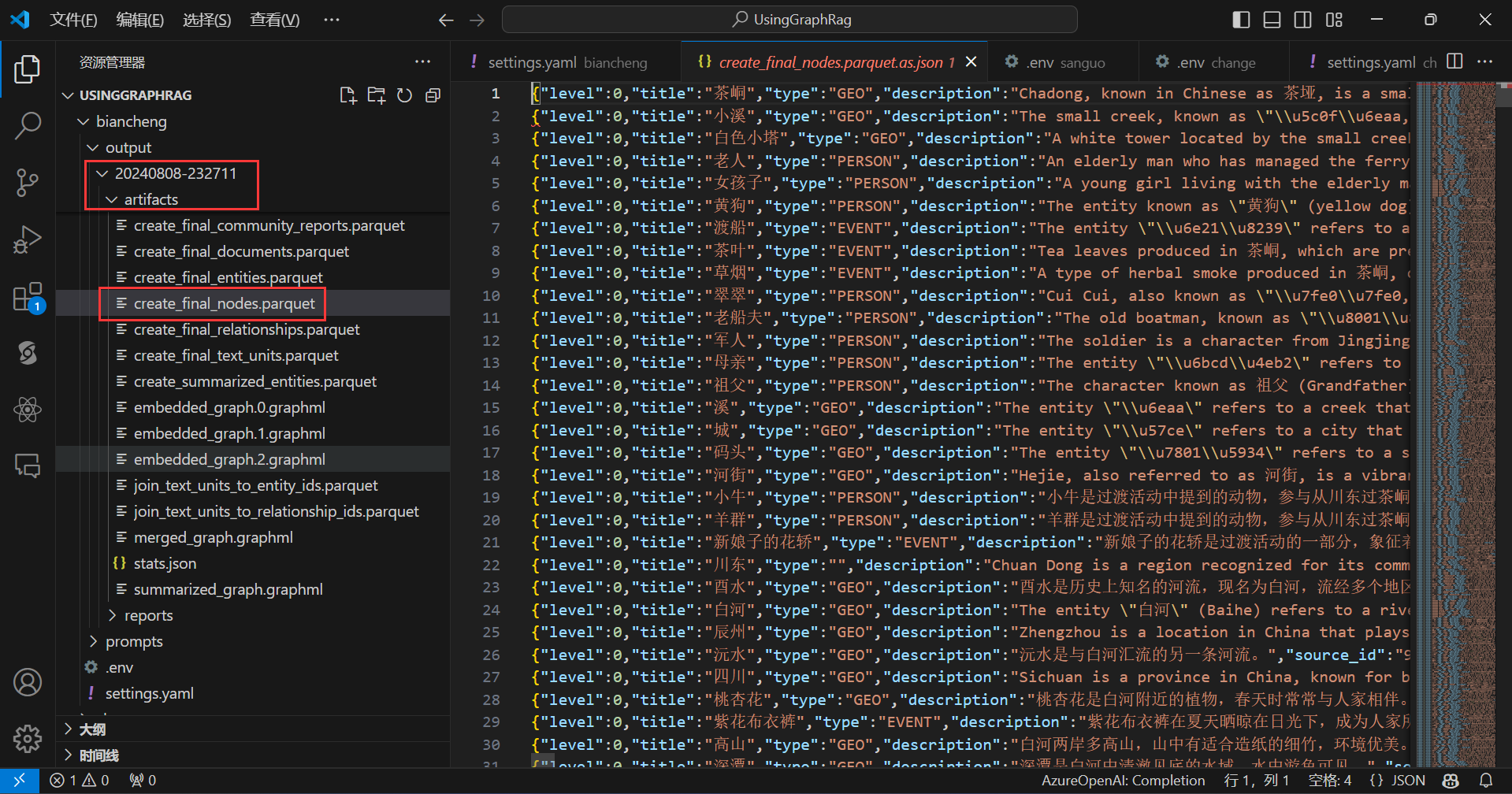
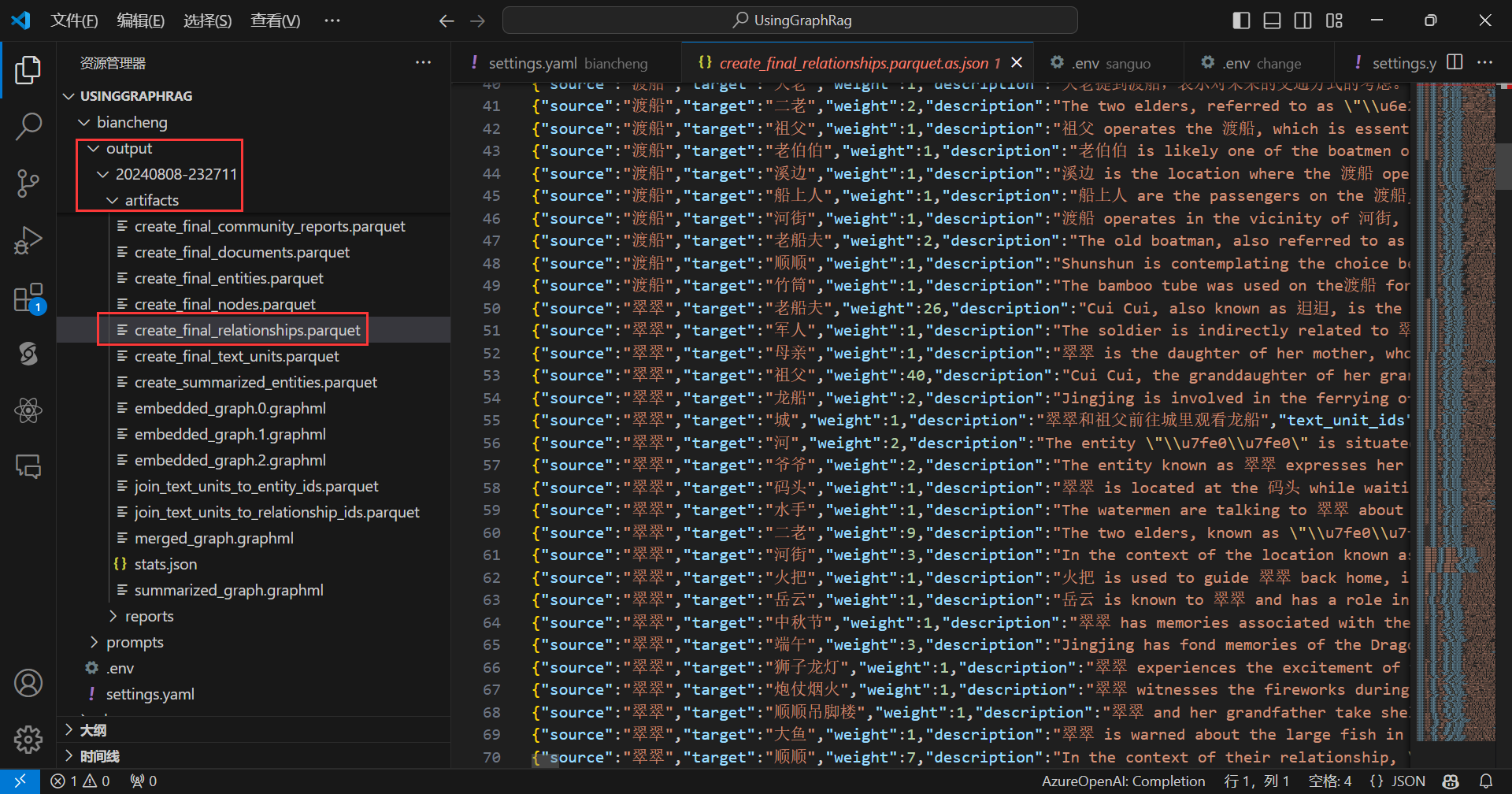
现在就可以开始查询了。
先来全局查询:
python -m graphrag.query --root ./biancheng --method global "这篇小说讲了什么主题?"
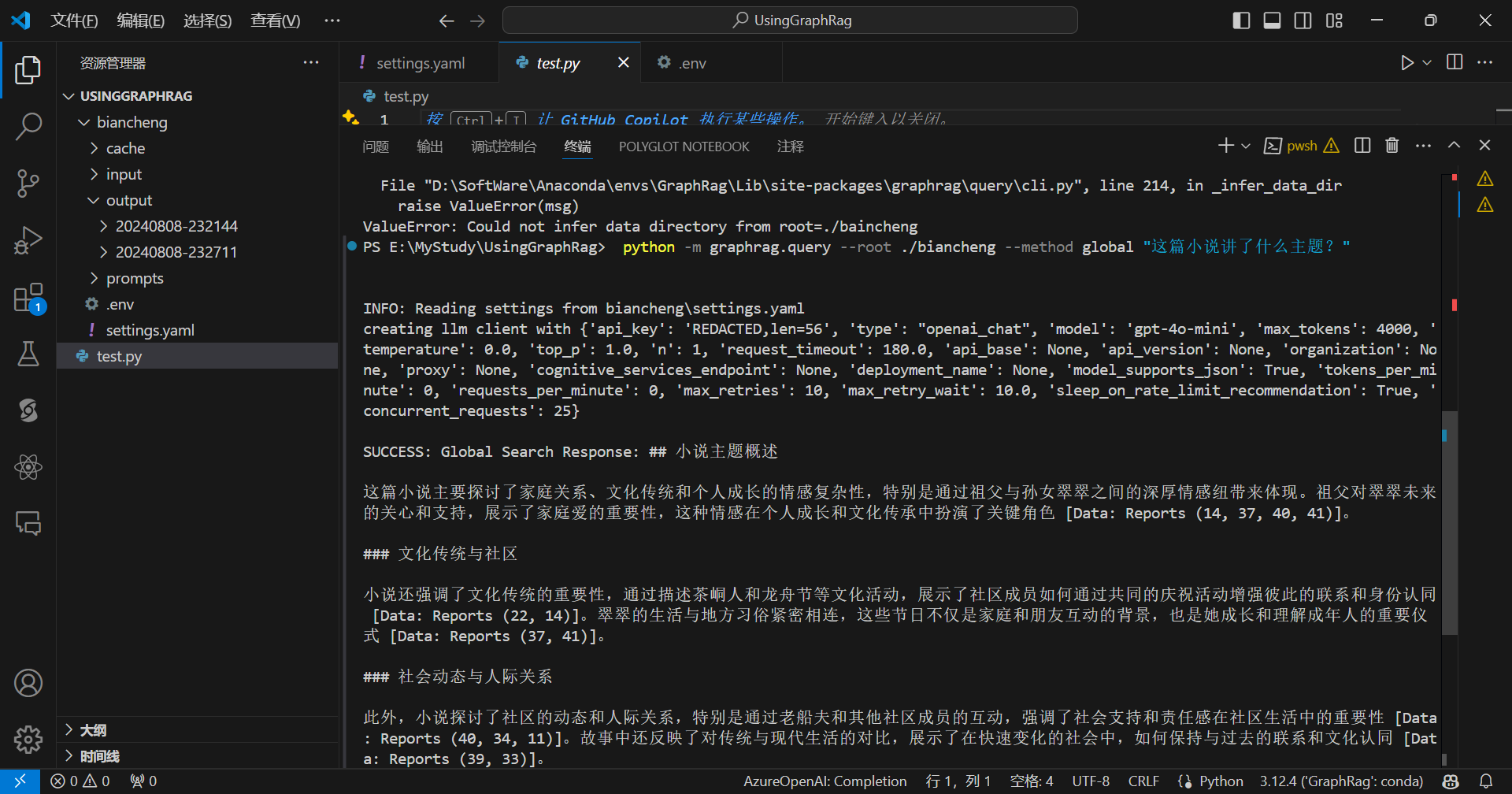
再来局部查询:
python -m graphrag.query --root ./biancheng --method local "翠翠在白鸡关发生了什么?"
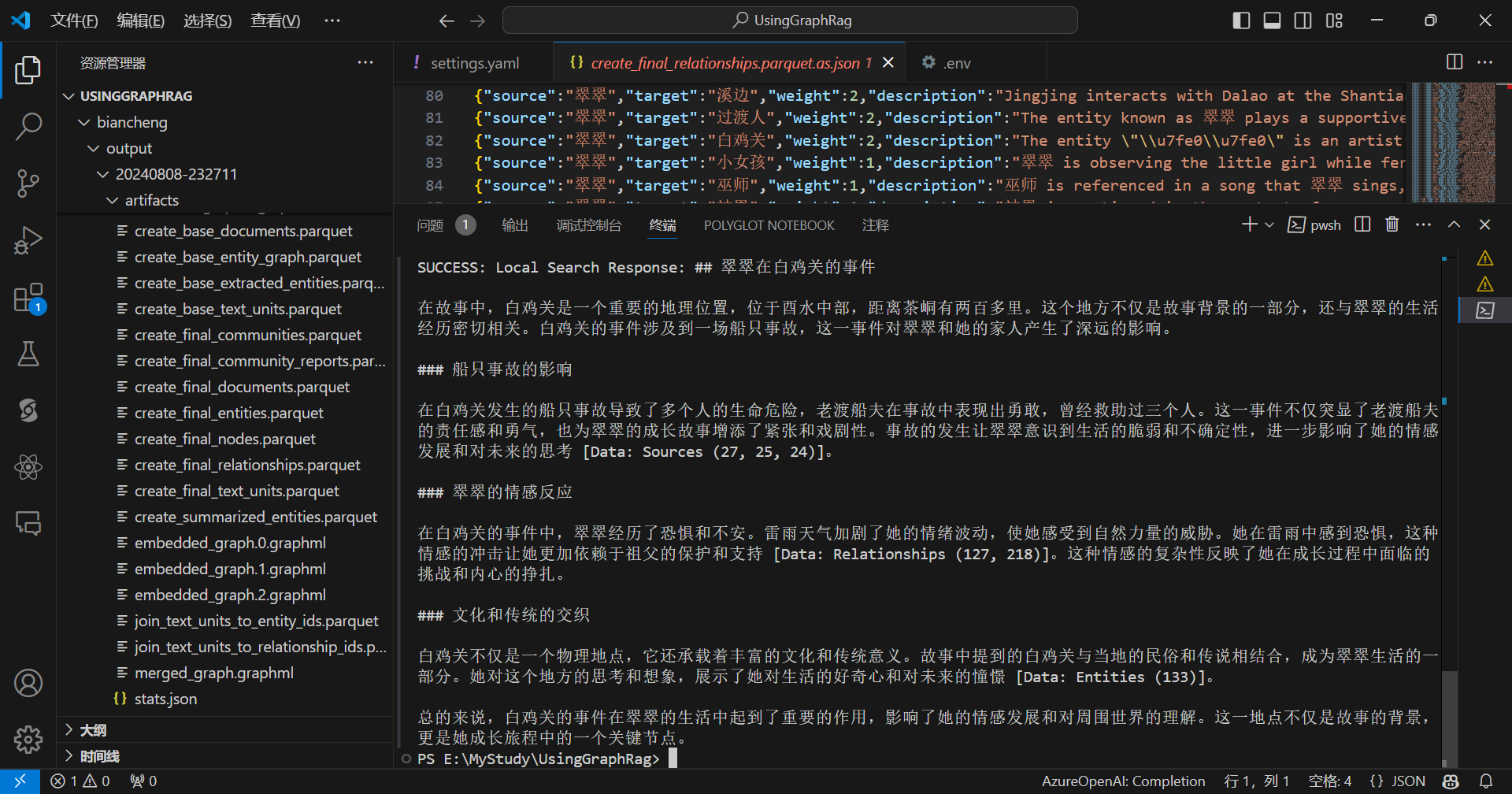
《边城》的字数大约在5万到6万字之间,查看成本:
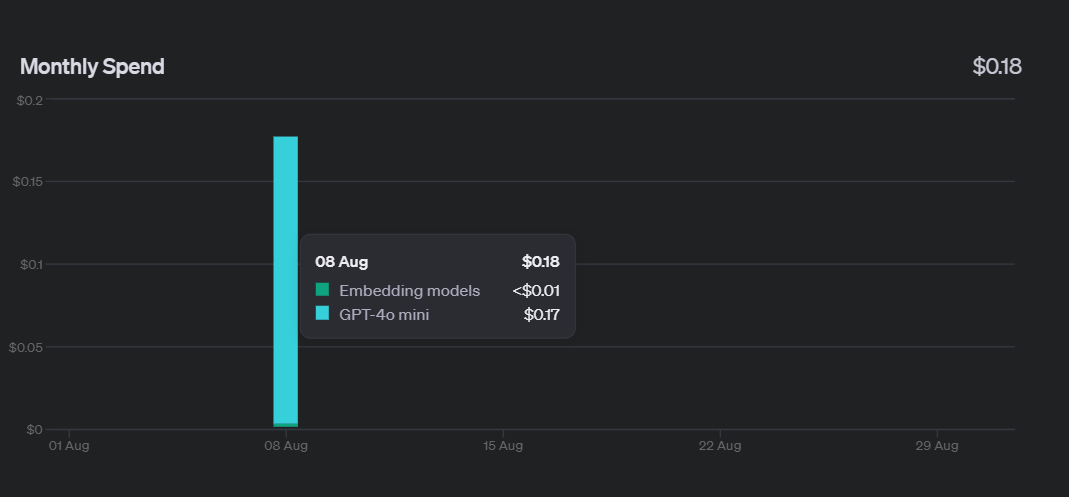
只花了0.18美元,gpt-4o-mini性价比还是很高的。
虽然使用OpenAI的模型效果很好,但是在国内使用OpenAI会有一些限制,可能很多人还没有OpenAI Api Key,而且可能暂时也没法弄到,因此可以选择SiliconCloud做替代,SiliconCloud同时提供了兼容OpenAI格式的对话模型与嵌入模型,并有多款先进开源大模型可用,刚注册SiliconCloud会送一些额度,感兴趣就可以马上上手尝试。
在使用SiliconCloud尝试GraphRag时,为了快速把流程跑通,尝试换一个小一点的文本,先以《嫦娥奔月》的故事为例,进行说明。
步骤跟之前的步骤一样,就是在配置的时候,要改一些地方。
首先将Api Key改成SiliconCloud的Api Key:
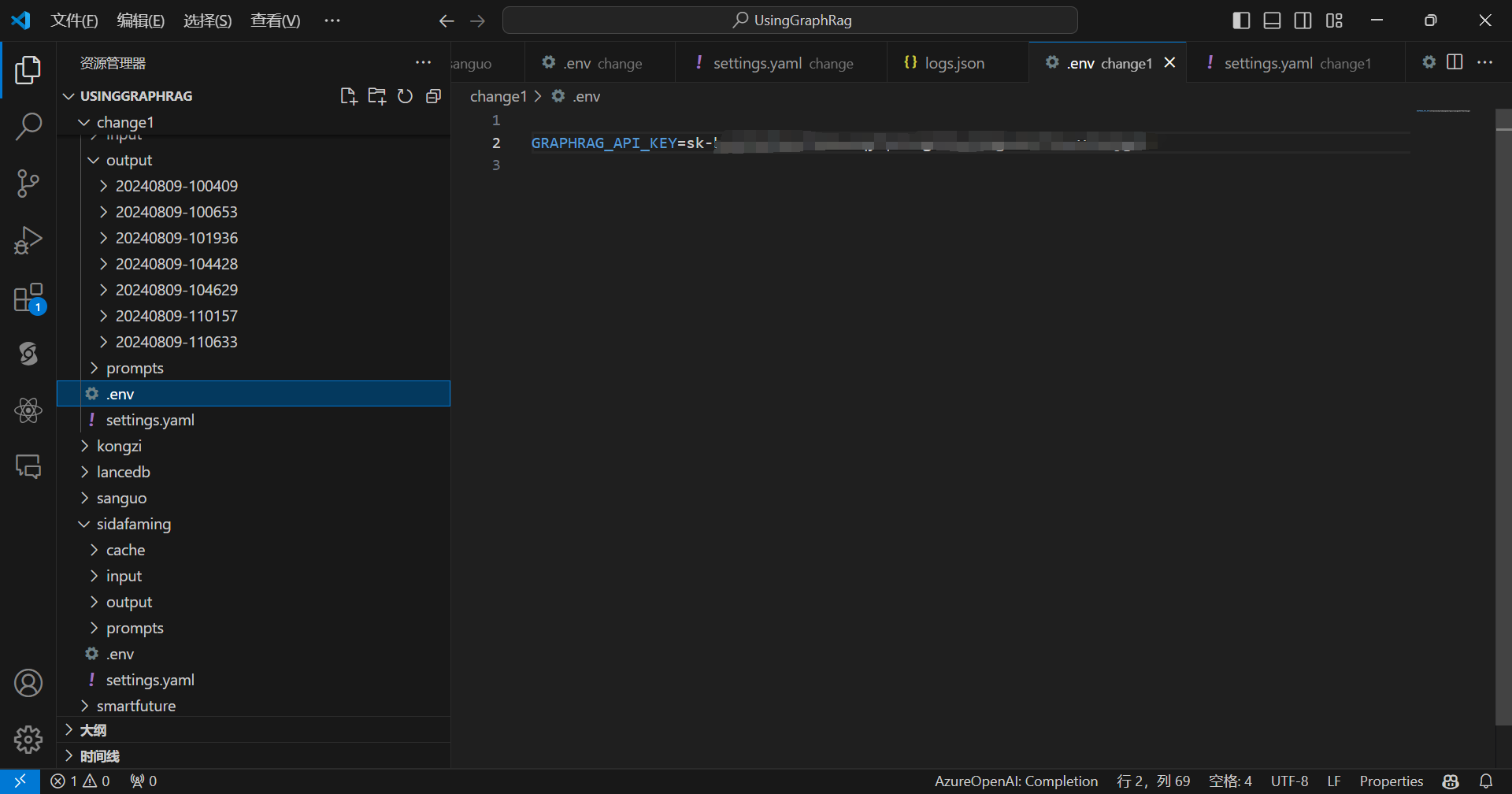
settings中需要更改的地方。
首先是对话模型部分:
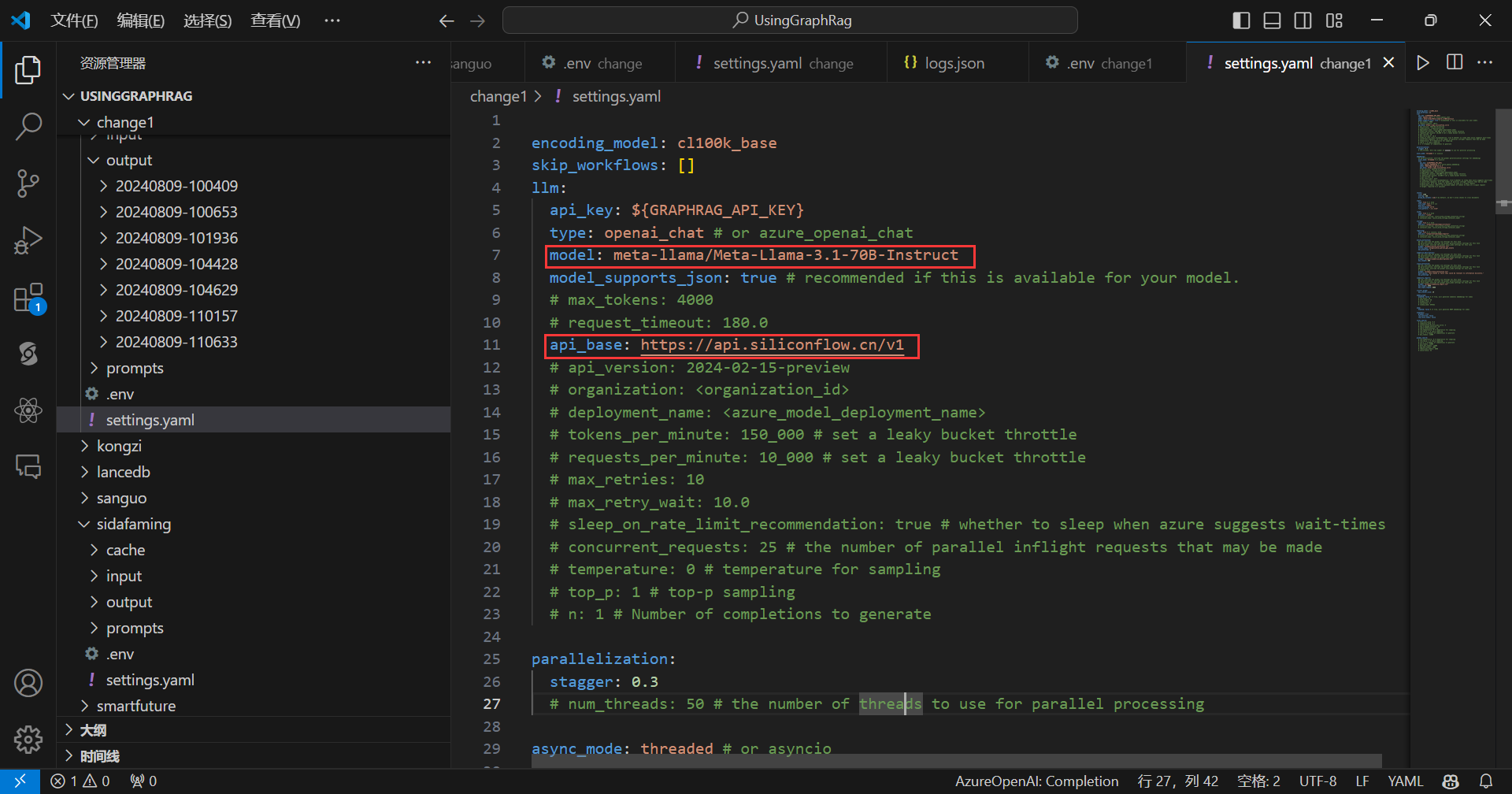
这里我选用的是meta-llama/Meta-Llama-3.1-70B-Instruct模型,关于模型名字怎么写,参考SiliconCloud的文档,文档地址:https://docs.siliconflow.cn/docs/getting-started
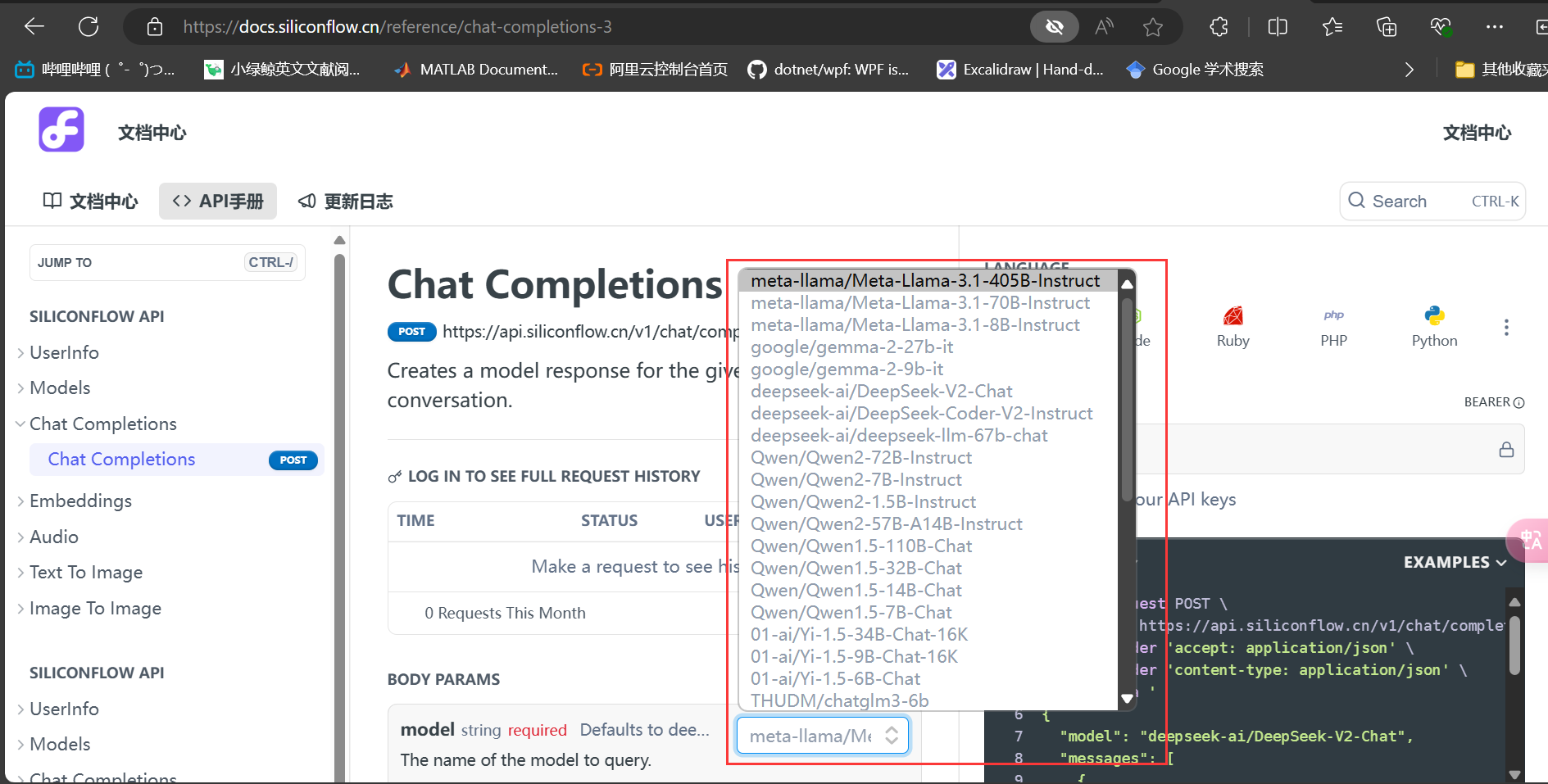
接下来是嵌入模型部分:
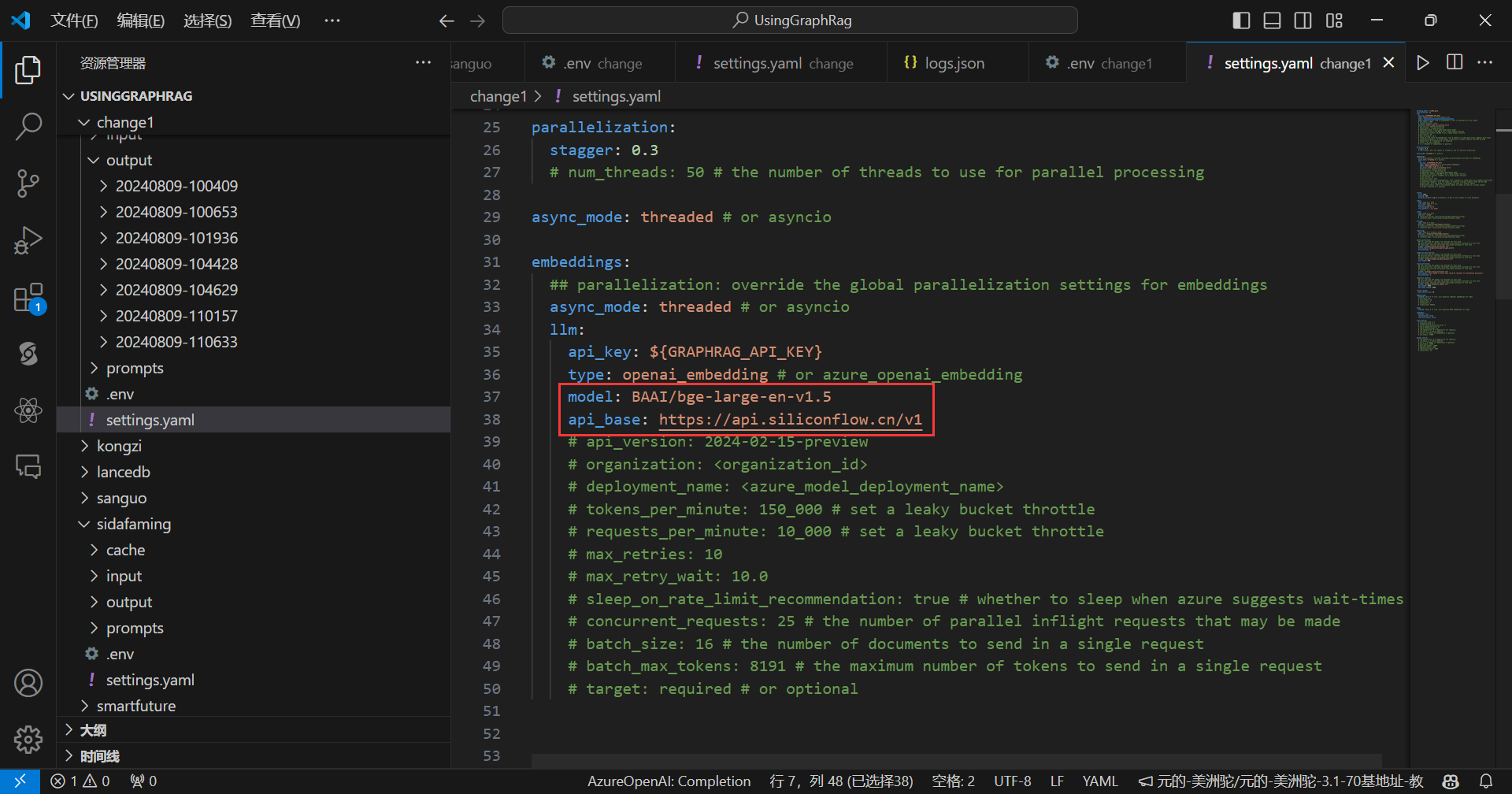
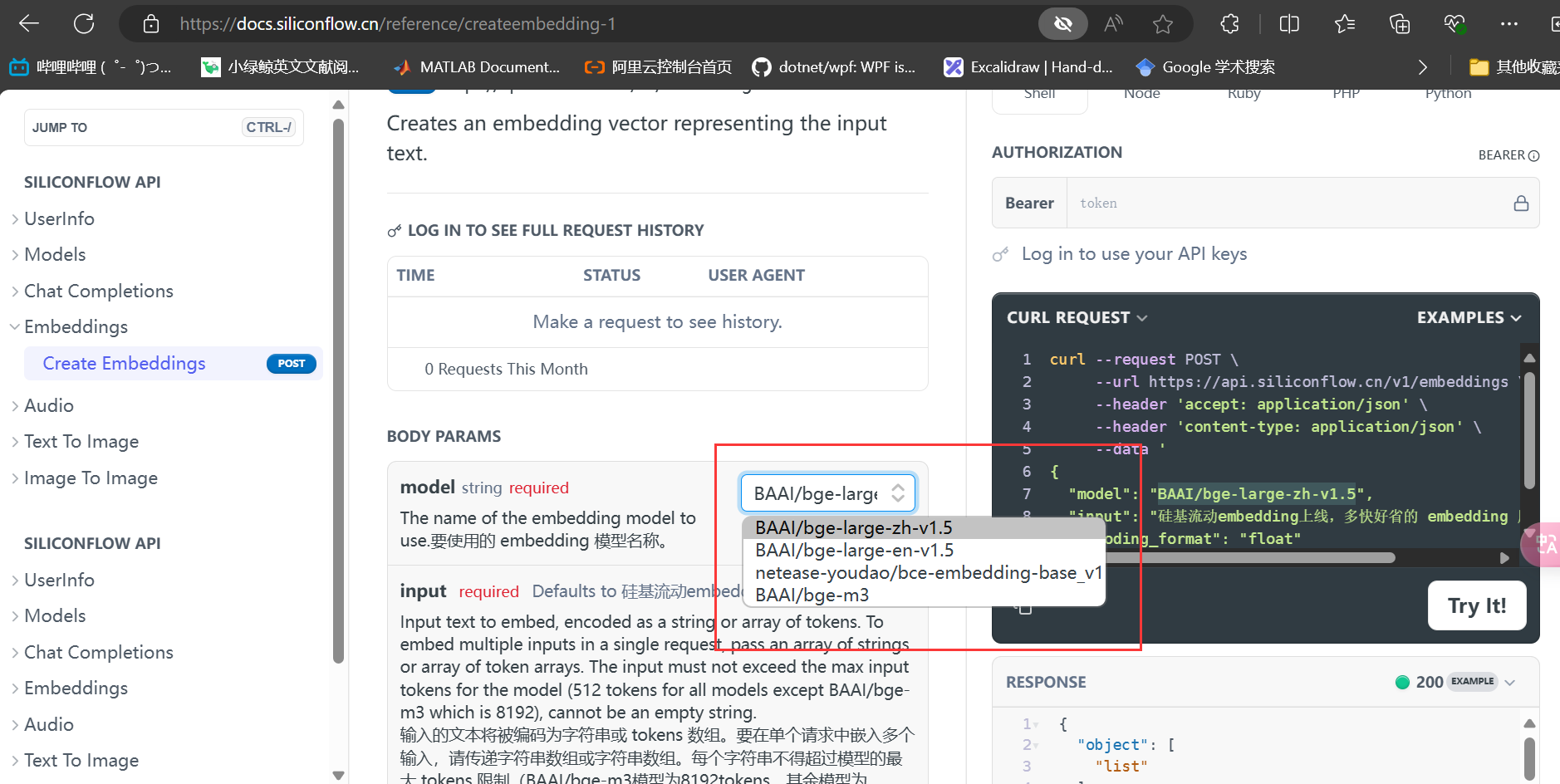
这里使用的嵌入模型是BAAI/bge-large-en-v1.5,使用BAAI/bge-large-zh-v1.5我这里会出错,大家也可以试一下,目前不知道什么原因。
嵌入模型名称该怎么写也是见文档:
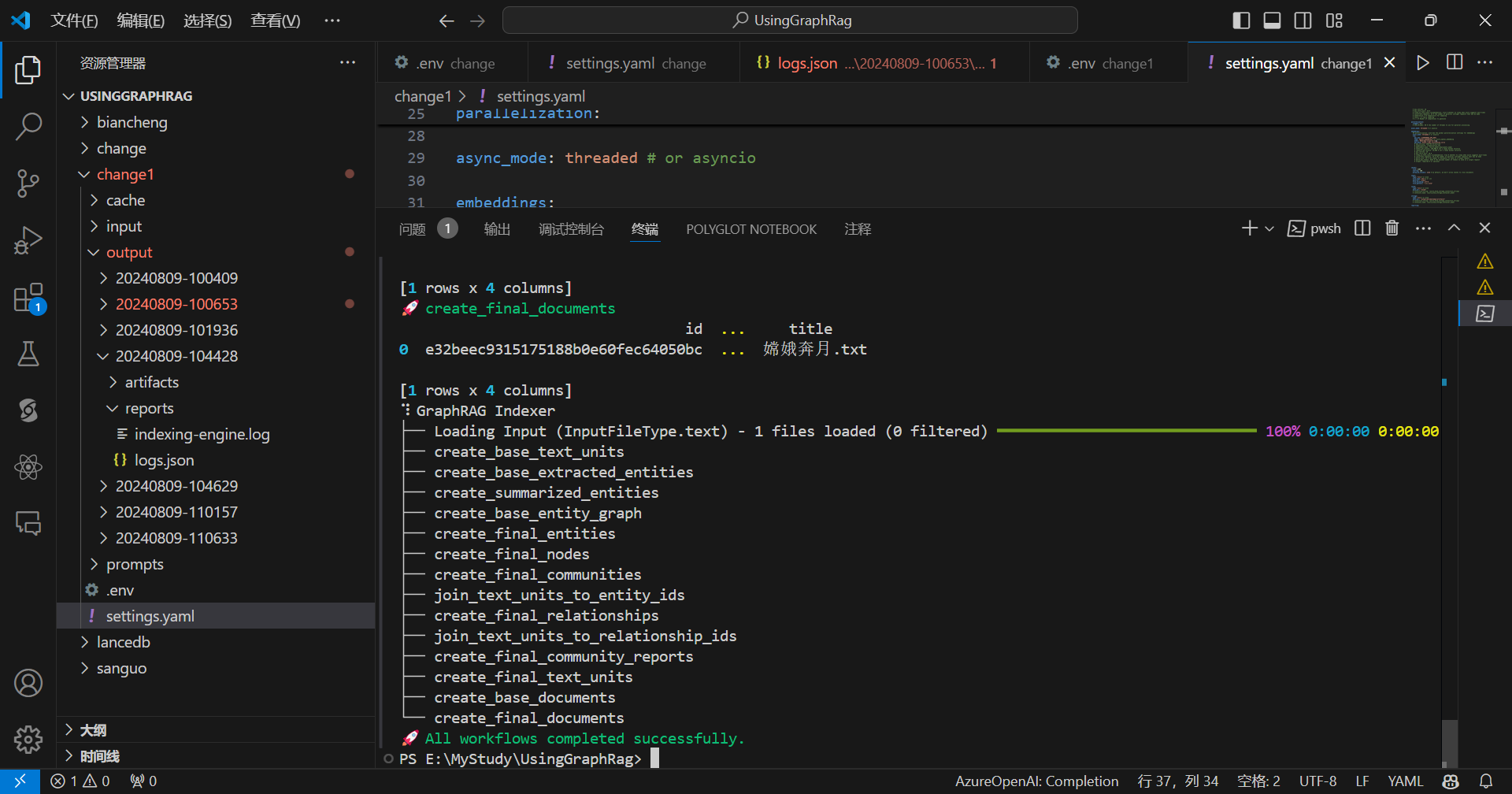
开始索引化:
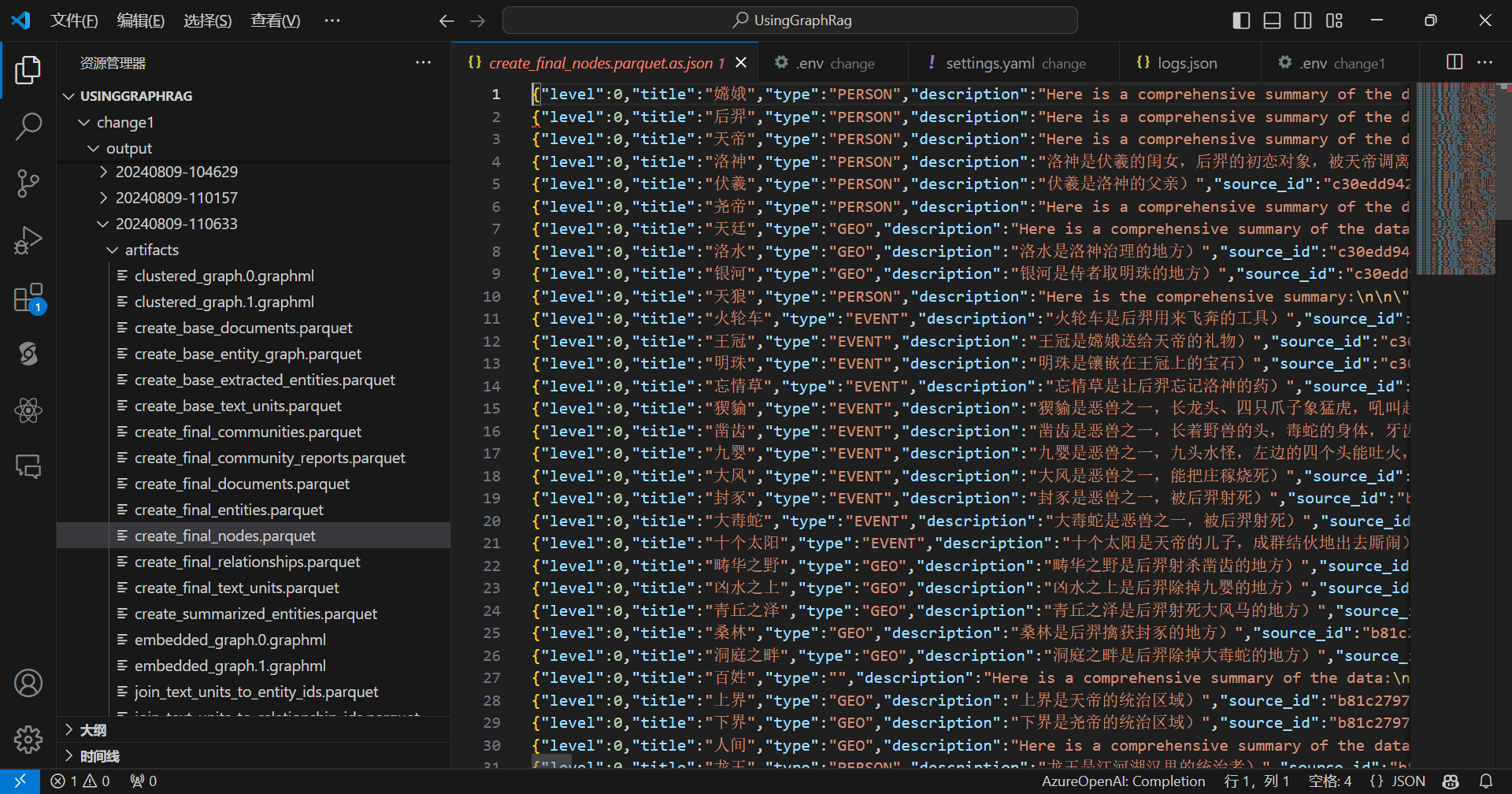
查看节点:
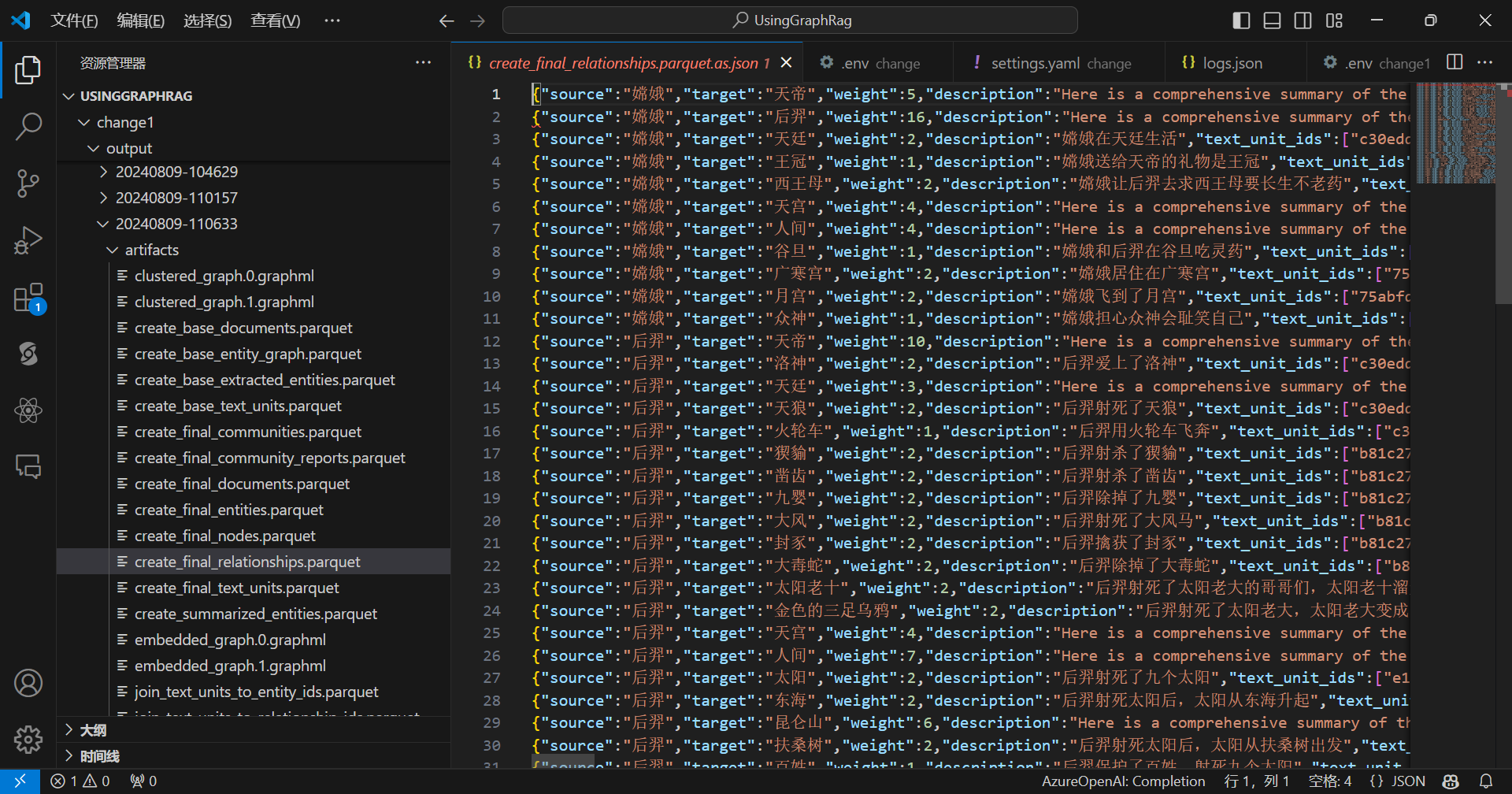
查看边:
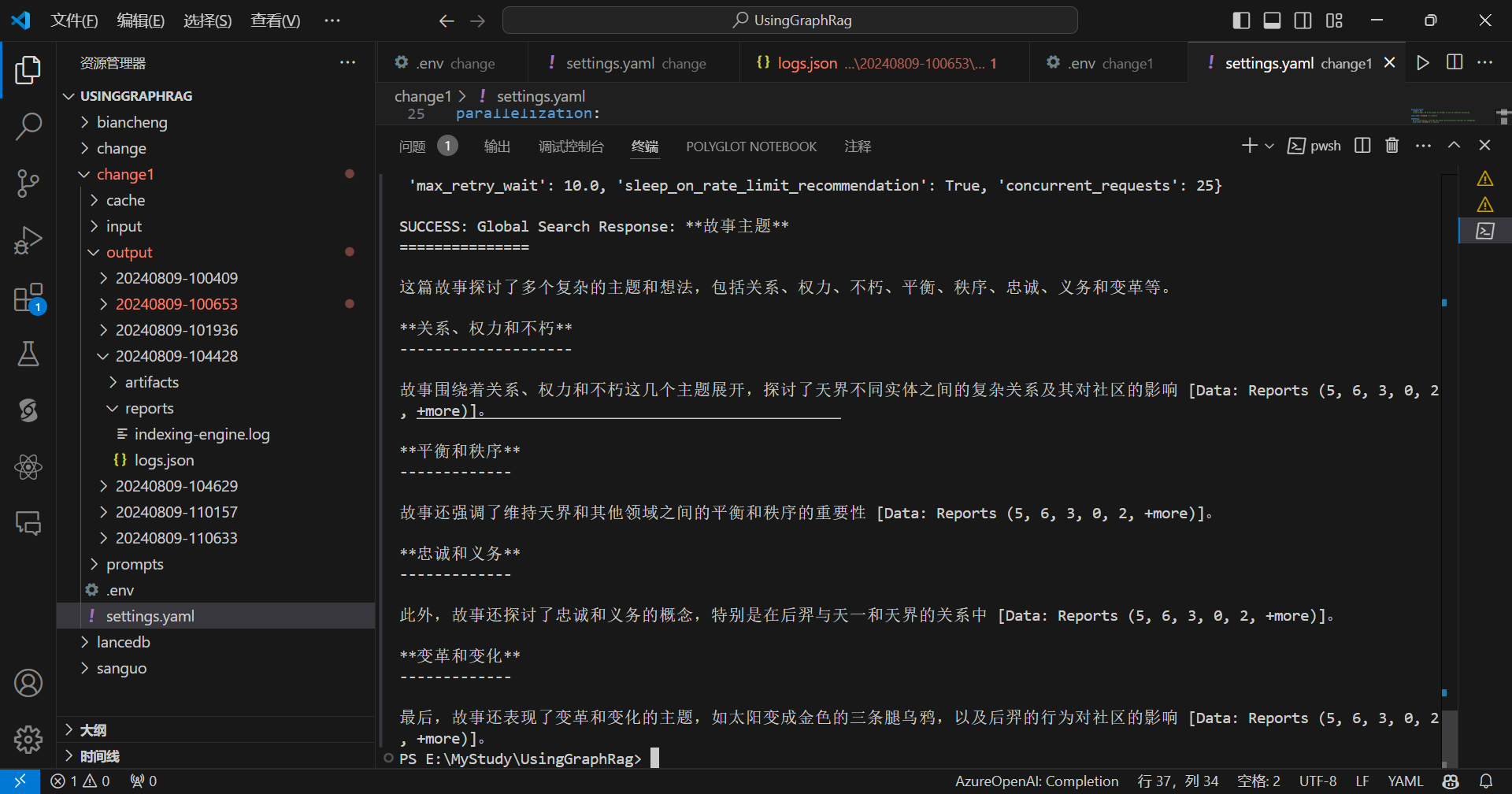
全局提问:
python -m graphrag.query --root ./change1 --method global "这篇故事讲了什么主题?"
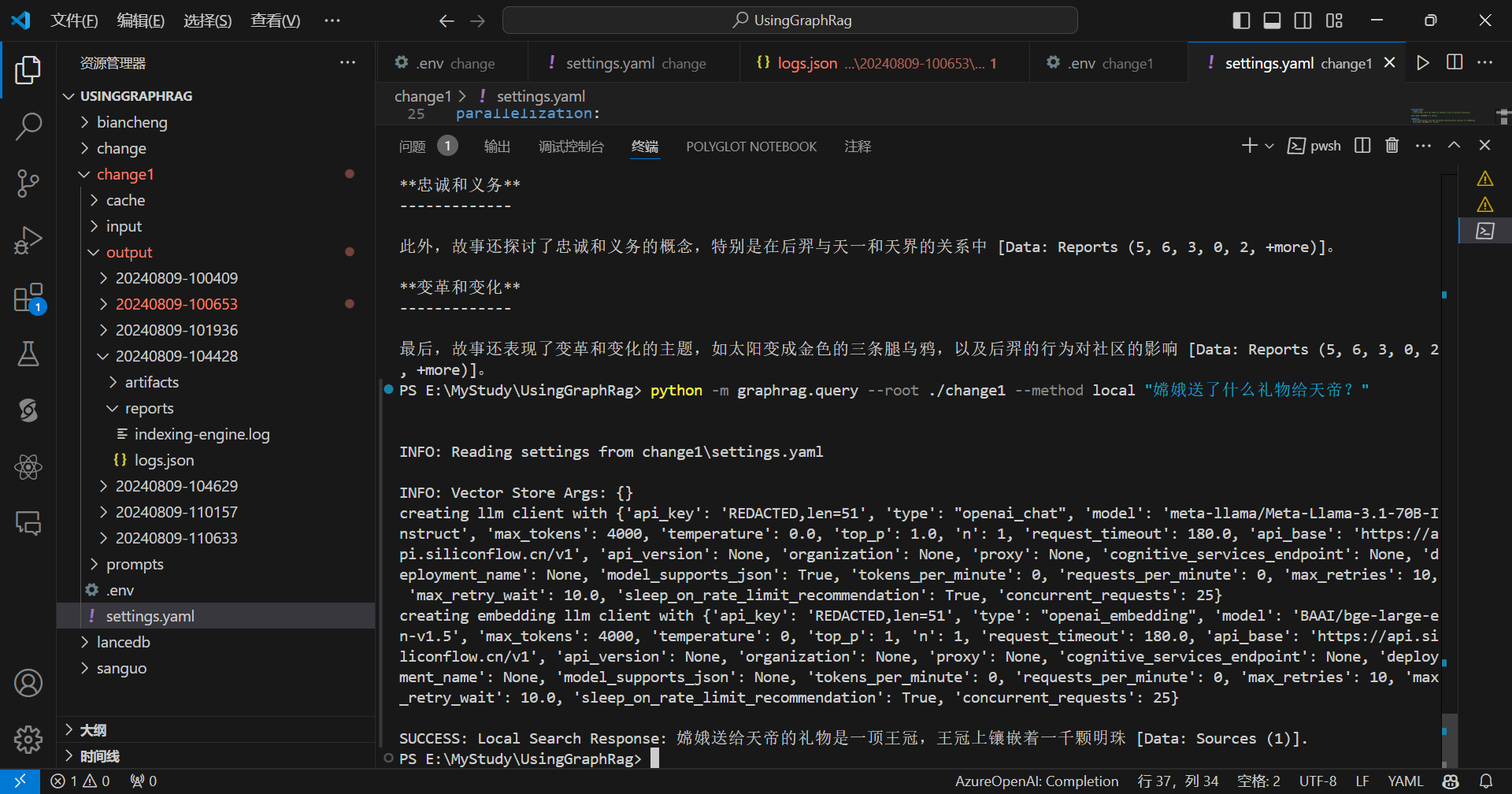
局部提问:
python -m graphrag.query --root ./change1 --method local "嫦娥送了什么礼物给天帝?"
现在把流程跑通了,可以尝试《三国演义》了!!
使用同样的设置,三国字数比较多,比较慢,耐心等待:
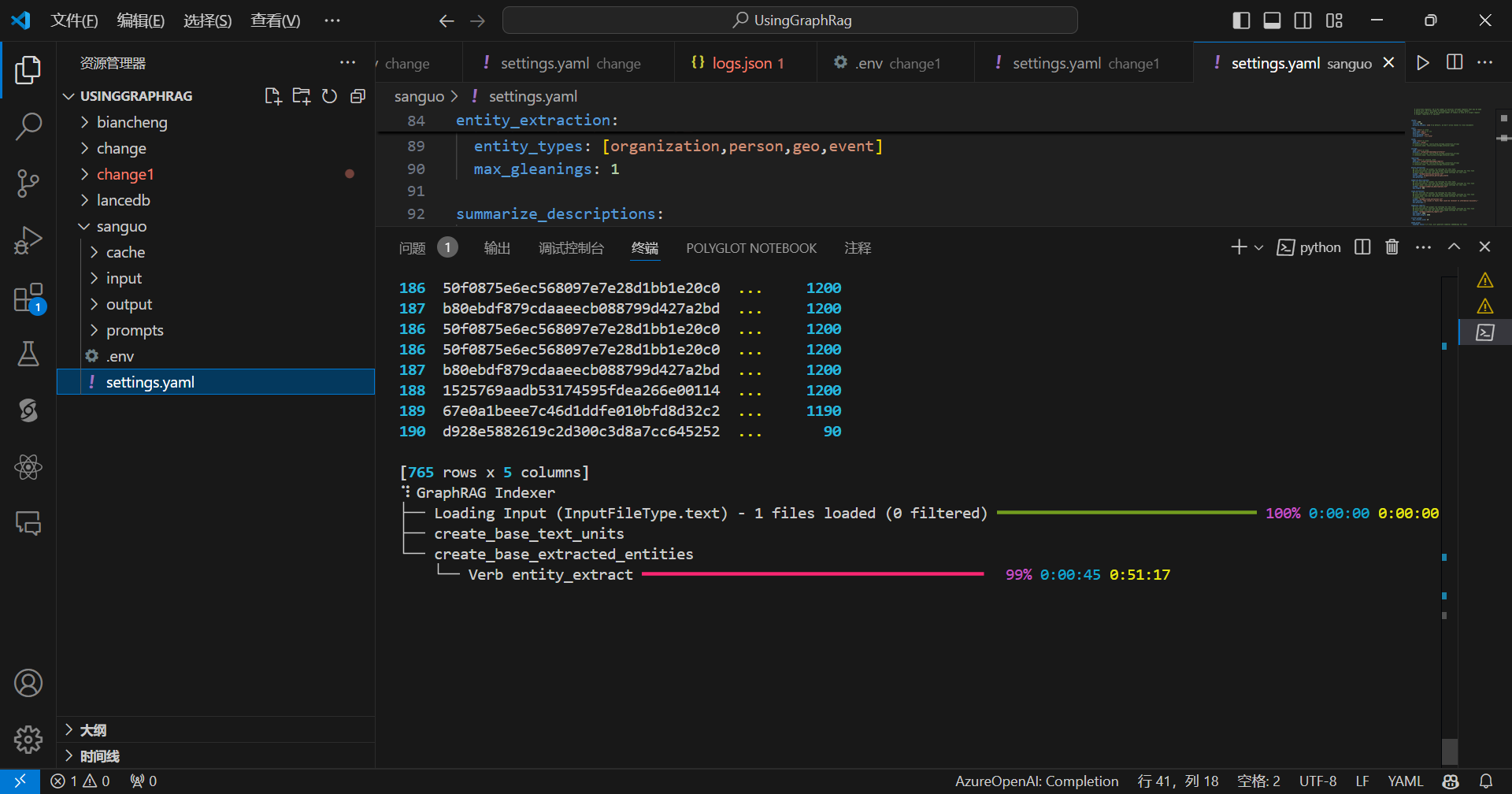
流程完成:
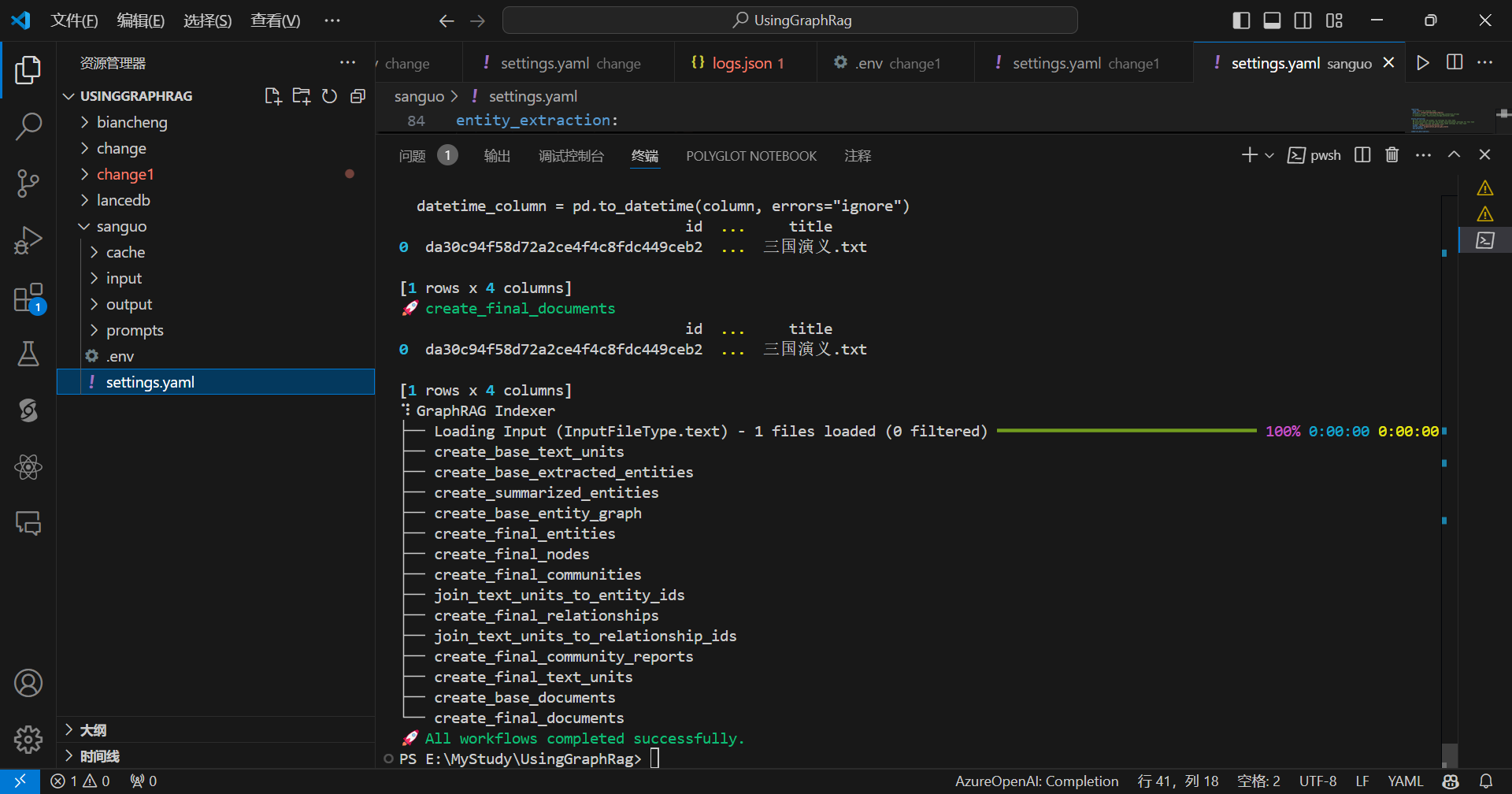
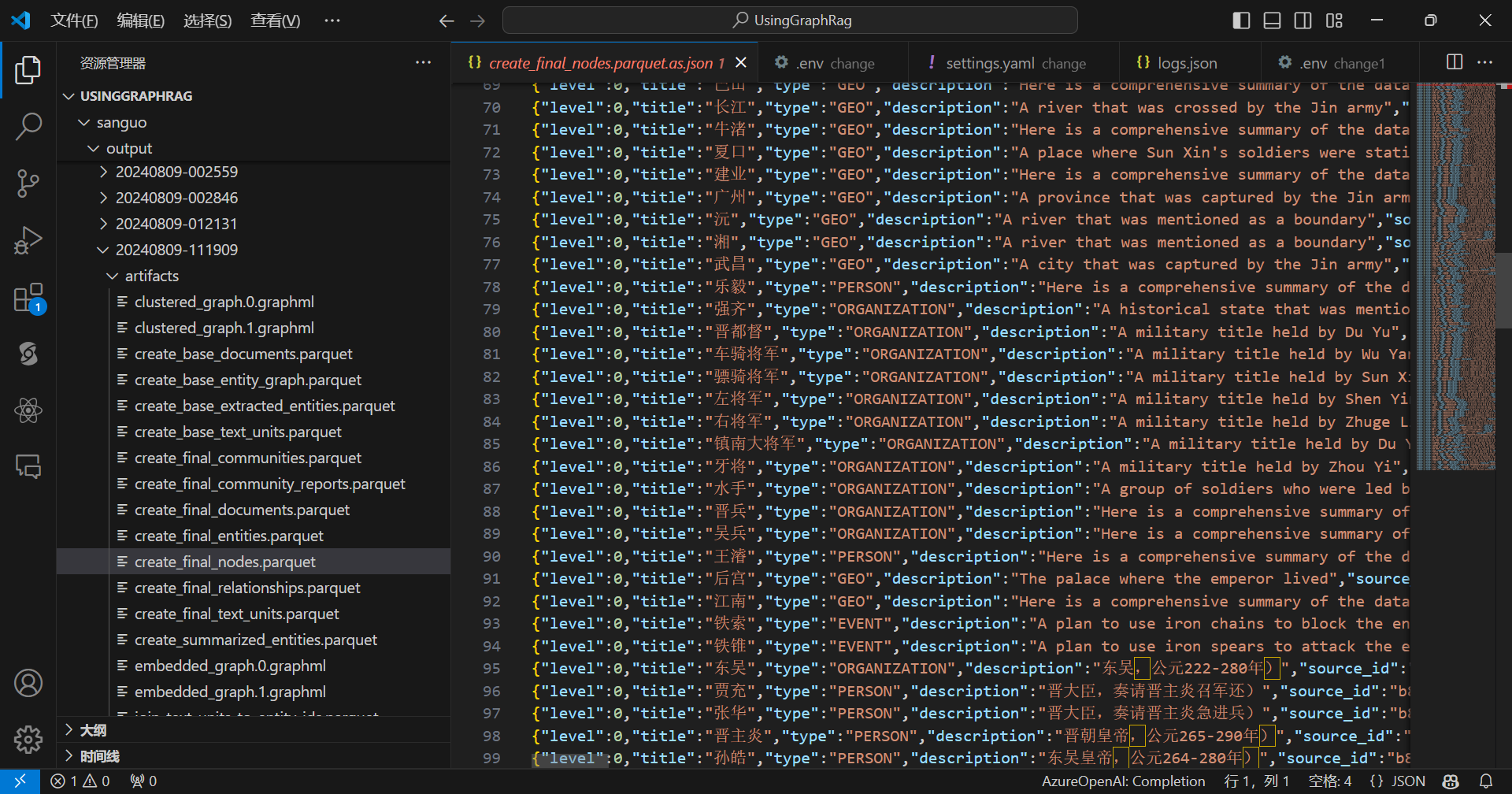
查看节点:
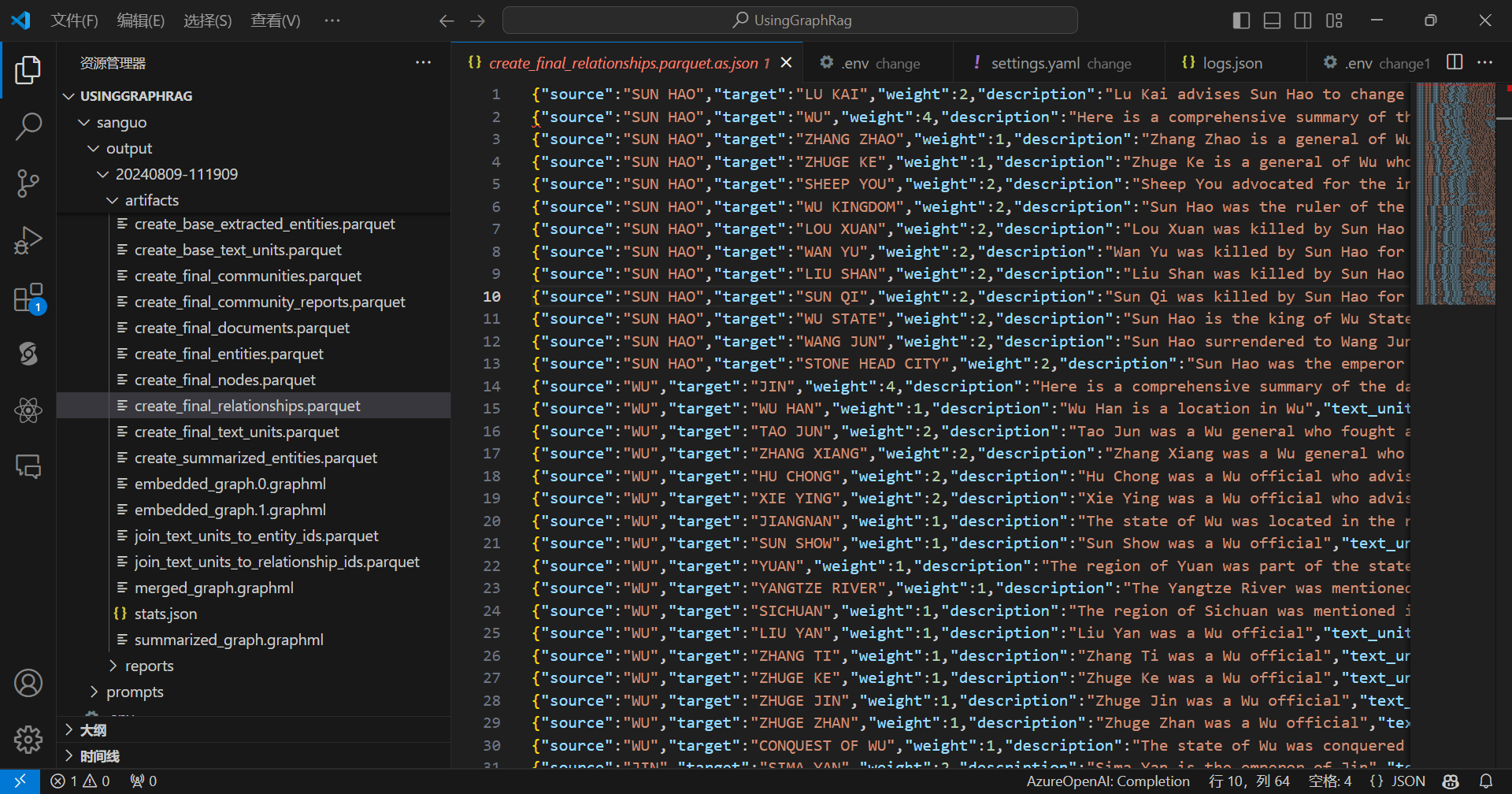
查看边:
全局提问:
python -m graphrag.query --root ./sanguo --method global "三国讲了什么故事?"
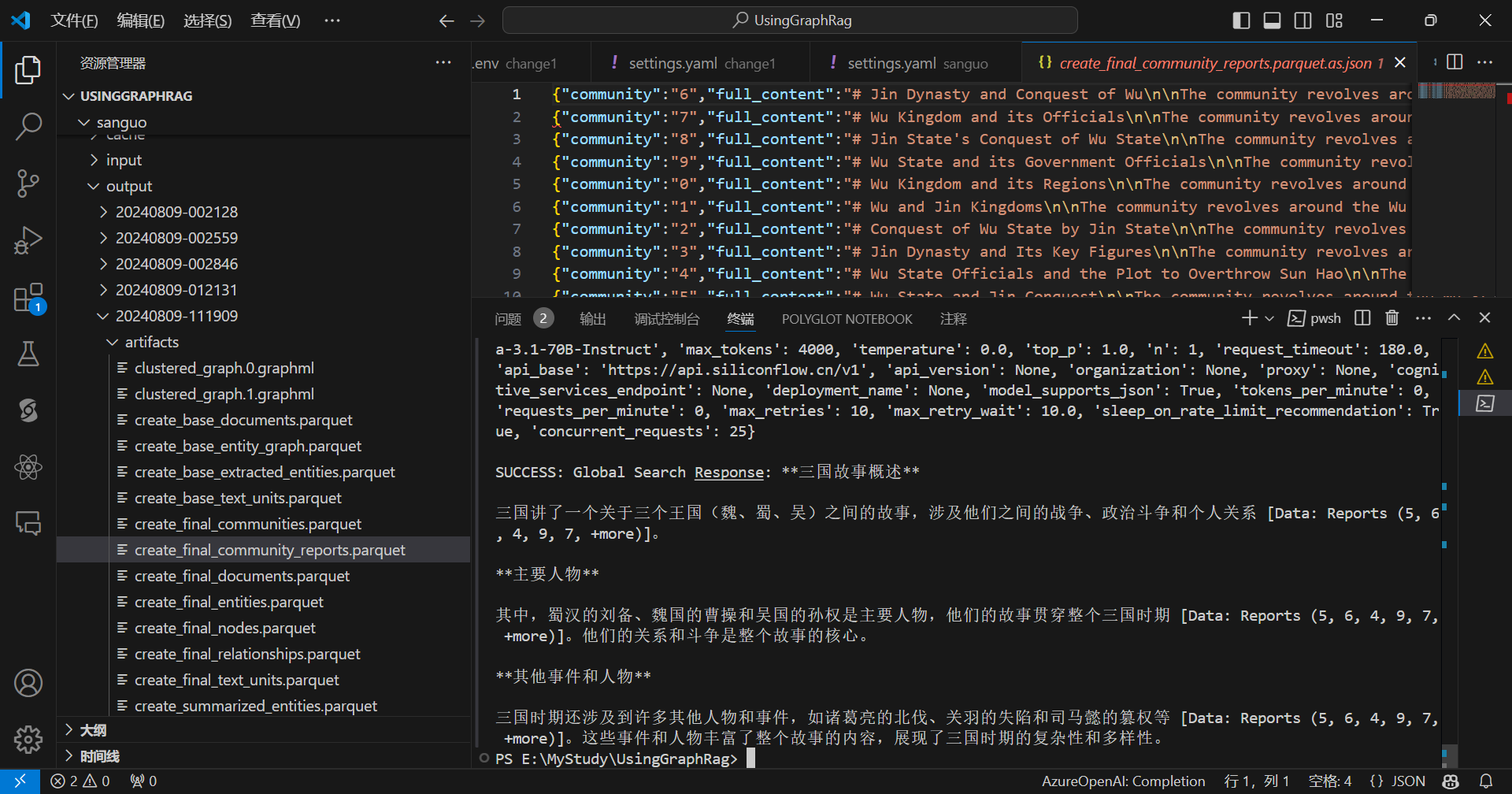
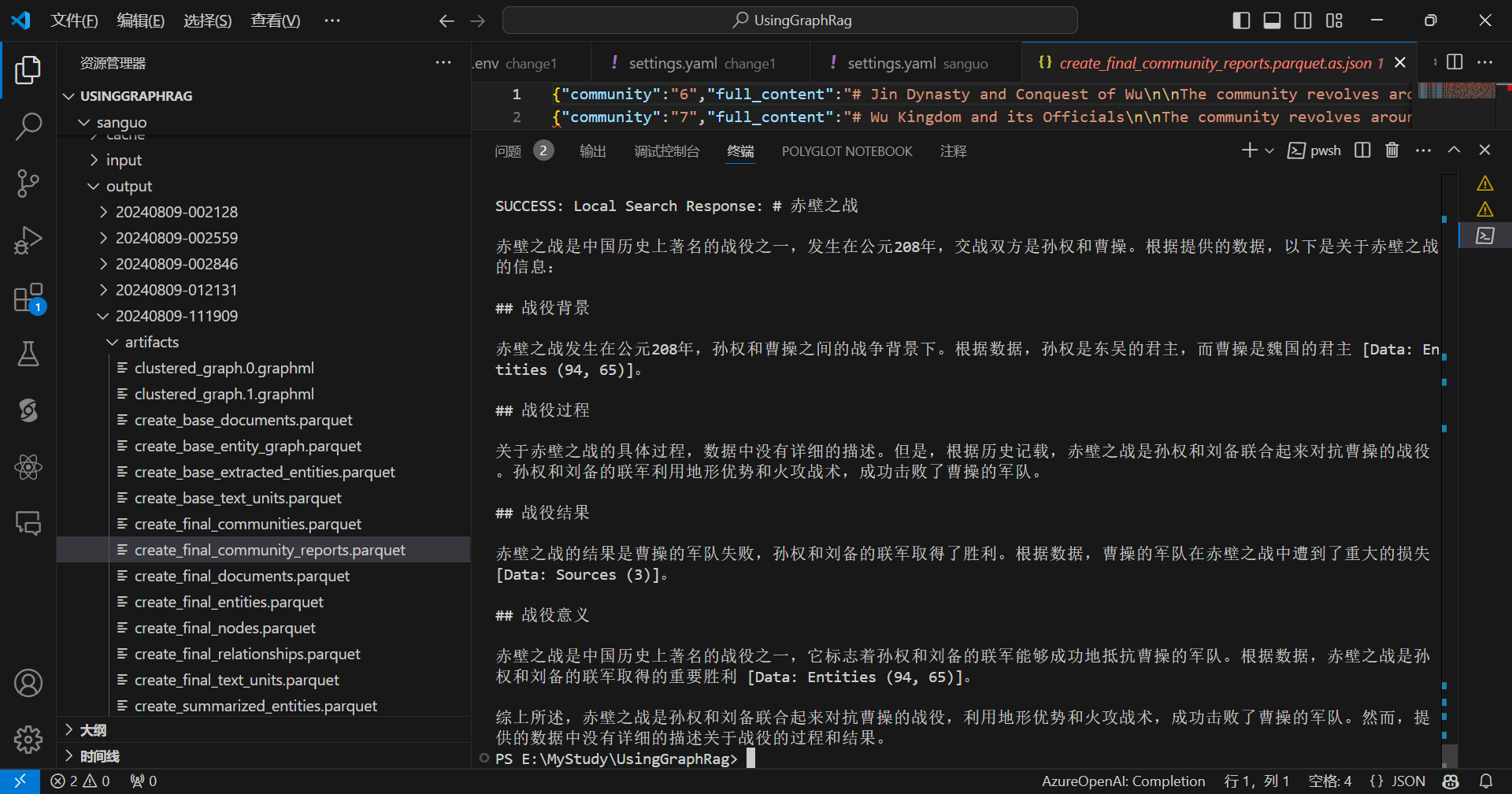
局部提问:
python -m graphrag.query --root ./sanguo --method local "赤壁之战是怎么打败曹操的?"
本地尝试GraphRag可以使用Ollama的对话模型,由于Ollama的嵌入模型没有兼容OpenAI的格式,所以嵌入模型可以使用LM Studio。
配置:
encoding_model: cl100k_base
skip_workflows: []
llm:
  api_key: ${GRAPHRAG_API_KEY}
  type: openai_chat # or azure_openai_chat
  model: llama3.1:70b
  model_supports_json: true # recommended if this is available for your model.
  # max_tokens: 4000
  # request_timeout: 180.0
  api_base: http://localhost:11434/v1
  # api_version: 2024-02-15-preview
  # organization: <organization_id>
  # deployment_name: <azure_model_deployment_name>
  # tokens_per_minute: 150_000 # set a leaky bucket throttle
  # requests_per_minute: 10_000 # set a leaky bucket throttle
  # max_retries: 10
  # max_retry_wait: 10.0
  # sleep_on_rate_limit_recommendation: true # whether to sleep when azure suggests wait-times
  # concurrent_requests: 25 # the number of parallel inflight requests that may be made
  # temperature: 0 # temperature for sampling
  # top_p: 1 # top-p sampling
  # n: 1 # Number of completions to generate

parallelization:
  stagger: 0.3
  # num_threads: 50 # the number of threads to use for parallel processing

async_mode: threaded # or asyncio

embeddings:
  ## parallelization: override the global parallelization settings for embeddings
  async_mode: threaded # or asyncio
  llm:
    api_key: ${GRAPHRAG_API_KEY}
    type: openai_embedding # or azure_openai_embedding
    model: nomic-ai/nomic-embed-text-v1.5-GGUF/nomic-embed-text-v1.5.Q2_K.gguf
    api_base: http://localhost:1234/v1
    # api_version: 2024-02-15-preview
    # organization: <organization_id>
    # deployment_name: <azure_model_deployment_name>
    # tokens_per_minute: 150_000 # set a leaky bucket throttle
    # requests_per_minute: 10_000 # set a leaky bucket throttle
    # max_retries: 10
    # max_retry_wait: 10.0
    # sleep_on_rate_limit_recommendation: true # whether to sleep when azure suggests wait-times
    # concurrent_requests: 25 # the number of parallel inflight requests that may be made
    # batch_size: 16 # the number of documents to send in a single request
    # batch_max_tokens: 8191 # the maximum number of tokens to send in a single request
    # target: required # or optional


chunks:
  size: 300
  overlap: 100
  group_by_columns: [id] # by default, we don't allow chunks to cross documents

input:
  type: file # or blob
  file_type: text # or csv
  base_dir: "input"
  file_encoding: utf-8
  file_pattern: ".*\\.txt$"

cache:
  type: file # or blob
  base_dir: "cache"
  # connection_string: <azure_blob_storage_connection_string>
  # container_name: <azure_blob_storage_container_name>

storage:
  type: file # or blob
  base_dir: "output/${timestamp}/artifacts"
  # connection_string: <azure_blob_storage_connection_string>
  # container_name: <azure_blob_storage_container_name>

reporting:
  type: file # or console, blob
  base_dir: "output/${timestamp}/reports"
  # connection_string: <azure_blob_storage_connection_string>
  # container_name: <azure_blob_storage_container_name>

entity_extraction:
  ## llm: override the global llm settings for this task
  ## parallelization: override the global parallelization settings for this task
  ## async_mode: override the global async_mode settings for this task
  prompt: "prompts/entity_extraction.txt"
  entity_types: [organization,person,geo,event]
  max_gleanings: 1

summarize_descriptions:
  ## llm: override the global llm settings for this task
  ## parallelization: override the global parallelization settings for this task
  ## async_mode: override the global async_mode settings for this task
  prompt: "prompts/summarize_descriptions.txt"
  max_length: 500

claim_extraction:
  ## llm: override the global llm settings for this task
  ## parallelization: override the global parallelization settings for this task
  ## async_mode: override the global async_mode settings for this task
  # enabled: true
  prompt: "prompts/claim_extraction.txt"
  description: "Any claims or facts that could be relevant to information discovery."
  max_gleanings: 1

community_reports:
  ## llm: override the global llm settings for this task
  ## parallelization: override the global parallelization settings for this task
  ## async_mode: override the global async_mode settings for this task
  prompt: "prompts/community_report.txt"
  max_length: 2000
  max_input_length: 8000

cluster_graph:
  max_cluster_size: 10

embed_graph:
  enabled: false # if true, will generate node2vec embeddings for nodes
  # num_walks: 10
  # walk_length: 40
  # window_size: 2
  # iterations: 3
  # random_seed: 597832

umap:
  enabled: false # if true, will generate UMAP embeddings for nodes

snapshots:
  graphml: false
  raw_entities: false
  top_level_nodes: false

local_search:
  # text_unit_prop: 0.5
  # community_prop: 0.1
  # conversation_history_max_turns: 5
  # top_k_mapped_entities: 10
  # top_k_relationships: 10
  # llm_temperature: 0 # temperature for sampling
  # llm_top_p: 1 # top-p sampling
  # llm_n: 1 # Number of completions to generate
  # max_tokens: 12000

global_search:
  # llm_temperature: 0 # temperature for sampling
  # llm_top_p: 1 # top-p sampling
  # llm_n: 1 # Number of completions to generate
  # max_tokens: 12000
  # data_max_tokens: 12000
  # map_max_tokens: 1000
  # reduce_max_tokens: 2000
  # concurrency: 32
理论上跑的起来,但是我的电脑配置不行,跑不了稍微大一点的模型,没法实测。
可以接入在线的对话模型Api,嵌入模型用本地的,但是SiliconCloud目前嵌入模型免费使用,也可以直接使用SiliconCloud的嵌入模型。
为了测试有哪些模型能把GraphRag流程跑通,但有些厂商只提供对话模型没有提供嵌入模型或者提供的嵌入模型也不兼容OpenAI格式该怎么办?
可以使用两个Key,一个Key是SiliconCloud用于使用嵌入模型,一个Key是其它厂商的,用于使用对话模型。
比如可以这样设置:
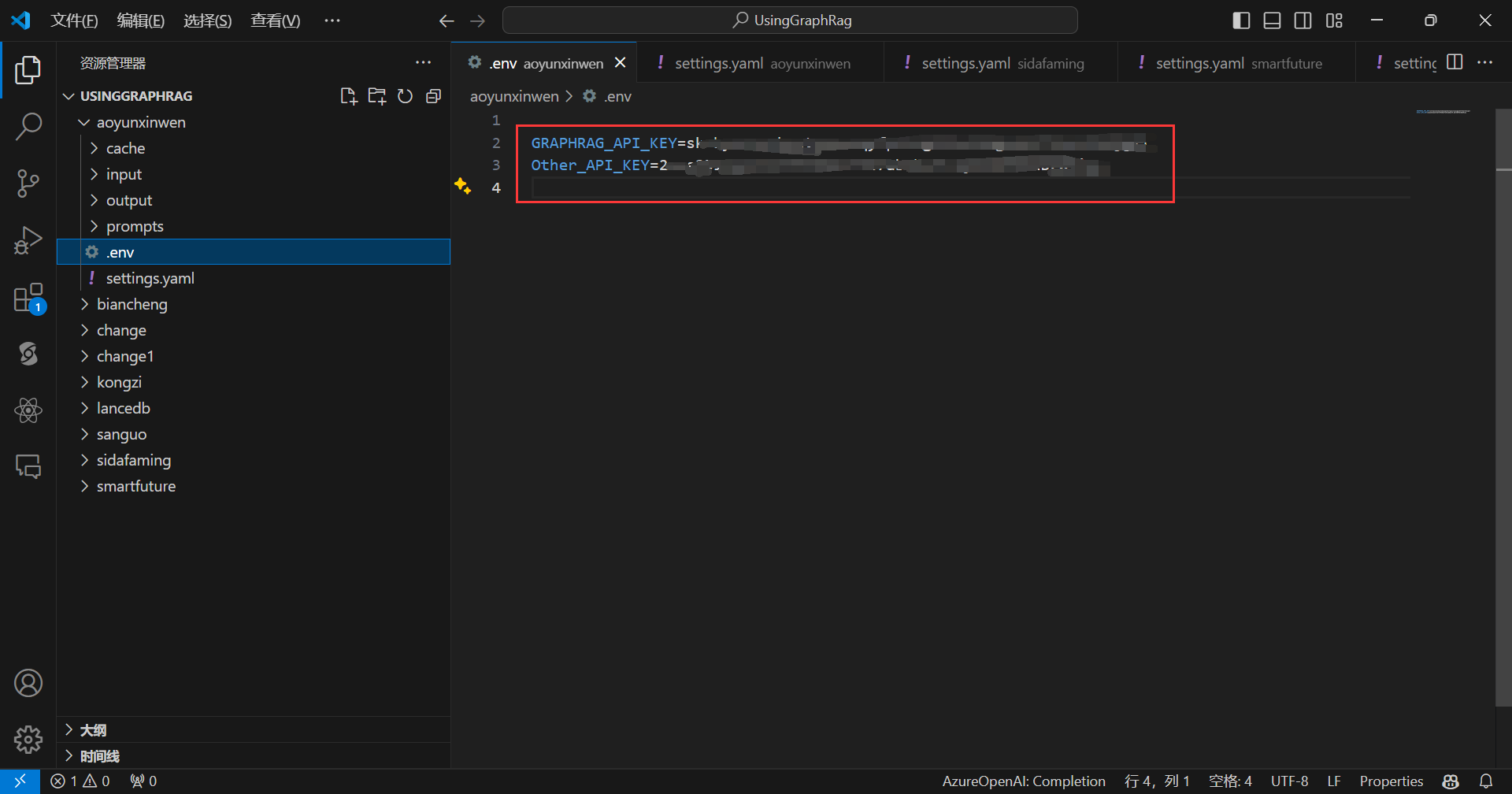
配置文件可以这样写:
encoding_model: cl100k_base
skip_workflows: []
llm:
  api_key: ${Other_API_KEY}
  type: openai_chat # or azure_openai_chat
  model: glm-4-air
  model_supports_json: true # recommended if this is available for your model.
  # max_tokens: 4000
  # request_timeout: 180.0
  api_base: https://open.bigmodel.cn/api/paas/v4
  # api_version: 2024-02-15-preview
  # organization: <organization_id>
  # deployment_name: <azure_model_deployment_name>
  # tokens_per_minute: 150_000 # set a leaky bucket throttle
  # requests_per_minute: 10_000 # set a leaky bucket throttle
  # max_retries: 10
  # max_retry_wait: 10.0
  # sleep_on_rate_limit_recommendation: true # whether to sleep when azure suggests wait-times
  # concurrent_requests: 25 # the number of parallel inflight requests that may be made
  # temperature: 0 # temperature for sampling
  # top_p: 1 # top-p sampling
  # n: 1 # Number of completions to generate

parallelization:
  stagger: 0.3
  # num_threads: 50 # the number of threads to use for parallel processing

async_mode: threaded # or asyncio

embeddings:
  ## parallelization: override the global parallelization settings for embeddings
  async_mode: threaded # or asyncio
  llm:
    api_key: ${GRAPHRAG_API_KEY}
    type: openai_embedding # or azure_openai_embedding
    model: BAAI/bge-large-en-v1.5
    api_base: https://api.siliconflow.cn/v1
    # api_version: 2024-02-15-preview
    # organization: <organization_id>
    # deployment_name: <azure_model_deployment_name>
    # tokens_per_minute: 150_000 # set a leaky bucket throttle
    # requests_per_minute: 10_000 # set a leaky bucket throttle
    # max_retries: 10
    # max_retry_wait: 10.0
    # sleep_on_rate_limit_recommendation: true # whether to sleep when azure suggests wait-times
    # concurrent_requests: 25 # the number of parallel inflight requests that may be made
    # batch_size: 16 # the number of documents to send in a single request
    # batch_max_tokens: 8191 # the maximum number of tokens to send in a single request
    # target: required # or optional


chunks:
  size: 300
  overlap: 100
  group_by_columns: [id] # by default, we don't allow chunks to cross documents

input:
  type: file # or blob
  file_type: text # or csv
  base_dir: "input"
  file_encoding: utf-8
  file_pattern: ".*\\.txt$"

cache:
  type: file # or blob
  base_dir: "cache"
  # connection_string: <azure_blob_storage_connection_string>
  # container_name: <azure_blob_storage_container_name>

storage:
  type: file # or blob
  base_dir: "output/${timestamp}/artifacts"
  # connection_string: <azure_blob_storage_connection_string>
  # container_name: <azure_blob_storage_container_name>

reporting:
  type: file # or console, blob
  base_dir: "output/${timestamp}/reports"
  # connection_string: <azure_blob_storage_connection_string>
  # container_name: <azure_blob_storage_container_name>

entity_extraction:
  ## llm: override the global llm settings for this task
  ## parallelization: override the global parallelization settings for this task
  ## async_mode: override the global async_mode settings for this task
  prompt: "prompts/entity_extraction.txt"
  entity_types: [organization,person,geo,event]
  max_gleanings: 1

summarize_descriptions:
  ## llm: override the global llm settings for this task
  ## parallelization: override the global parallelization settings for this task
  ## async_mode: override the global async_mode settings for this task
  prompt: "prompts/summarize_descriptions.txt"
  max_length: 500

claim_extraction:
  ## llm: override the global llm settings for this task
  ## parallelization: override the global parallelization settings for this task
  ## async_mode: override the global async_mode settings for this task
  # enabled: true
  prompt: "prompts/claim_extraction.txt"
  description: "Any claims or facts that could be relevant to information discovery."
  max_gleanings: 1

community_reports:
  ## llm: override the global llm settings for this task
  ## parallelization: override the global parallelization settings for this task
  ## async_mode: override the global async_mode settings for this task
  prompt: "prompts/community_report.txt"
  max_length: 2000
  max_input_length: 8000

cluster_graph:
  max_cluster_size: 10

embed_graph:
  enabled: false # if true, will generate node2vec embeddings for nodes
  # num_walks: 10
  # walk_length: 40
  # window_size: 2
  # iterations: 3
  # random_seed: 597832

umap:
  enabled: false # if true, will generate UMAP embeddings for nodes

snapshots:
  graphml: true
  raw_entities: false
  top_level_nodes: false

local_search:
  # text_unit_prop: 0.5
  # community_prop: 0.1
  # conversation_history_max_turns: 5
  # top_k_mapped_entities: 10
  # top_k_relationships: 10
  # llm_temperature: 0 # temperature for sampling
  # llm_top_p: 1 # top-p sampling
  # llm_n: 1 # Number of completions to generate
  # max_tokens: 12000

global_search:
  # llm_temperature: 0 # temperature for sampling
  # llm_top_p: 1 # top-p sampling
  # llm_n: 1 # Number of completions to generate
  # max_tokens: 12000
  # data_max_tokens: 12000
  # map_max_tokens: 1000
  # reduce_max_tokens: 2000
  # concurrency: 32
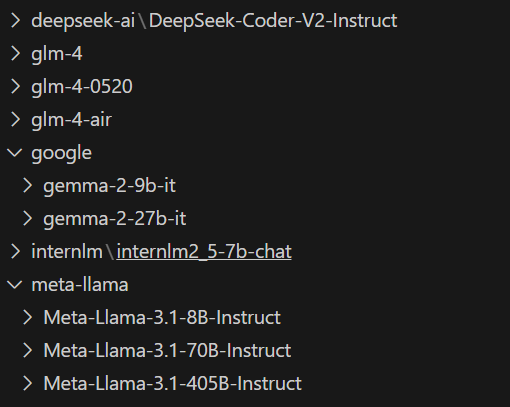
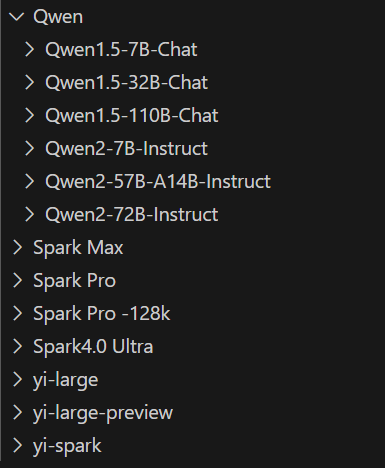
我尝试了多个大模型,经过我这个简单的测试,能把GraphRag流程跑通的(只是跑通,回答效果不一定好)的有如下这些:
温馨提示
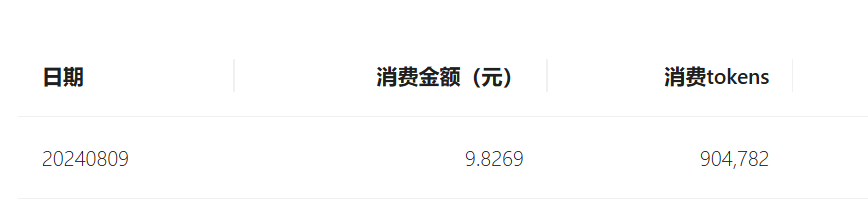
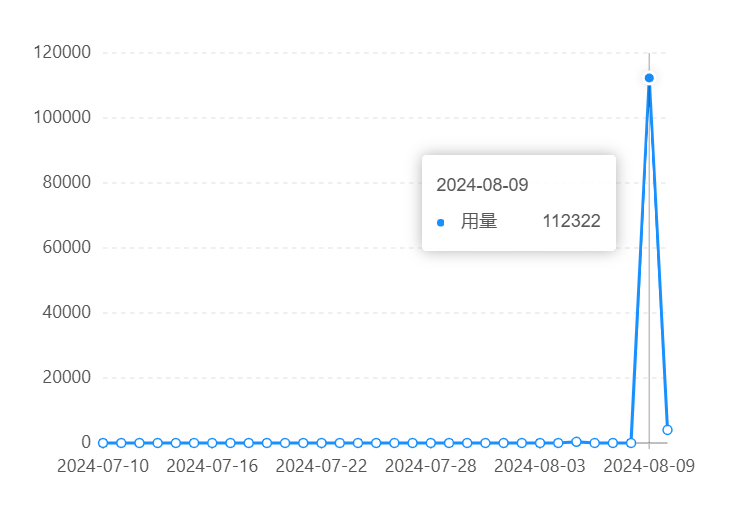
GraphRag Token消耗量很大,请注意额度!!
对于一个两千多字的文本,一次GraphRag基本上就要耗费十多万的Token:
1、https://microsoft.github.io/graphrag/posts/get_started/
2、https://siliconflow.cn/zh-cn/siliconcloud
3、https://github.com/microsoft/graphrag/discussions/321
 官方公众号
官方公众号