ETJava Beta | Java
 注册
登录
注册
登录
注册
登录
注册
登录
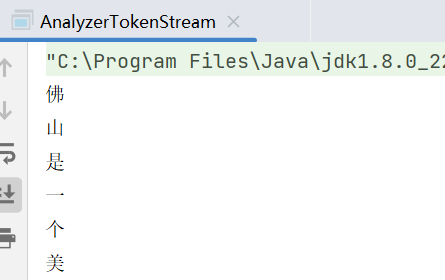
标准分词器是不支持中文的,表现为
	如果是英文内容 会将单词或语句进行分词
	如果是中文 则会将单个的中文字作为一个分词 这样就无法满足我们的检索需求了 通常情况我们是根据关键词进行检索 而非单个的关键字

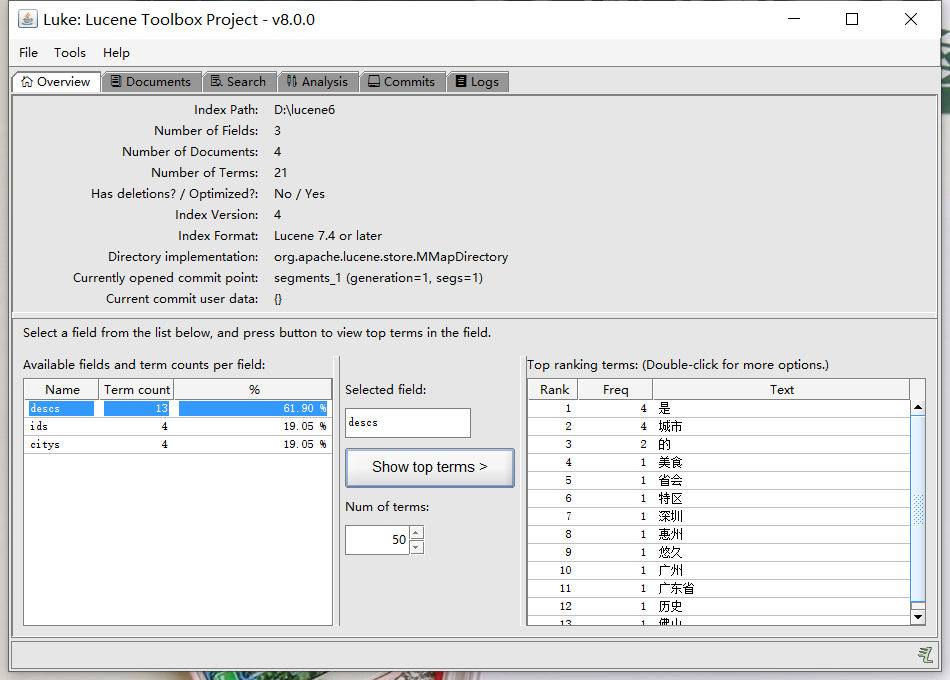
中文分词器 使用中科院提供的lucene插件 SmartChineseAnalyzer

需要添加如下依赖
<!-- 中文分词器 -->
<dependency>
    <groupId>org.apache.lucene</groupId>
    <artifactId>lucene-analyzers-smartcn</artifactId>
    <version>8.0.0</version>
</dependency>
// 创建索引库
    public static void createIndex()throws Exception{
        // 1. 创建Directory对象 封装索引库所在位置
        Directory directory = FSDirectory.open(Paths.get("D://lucene6"));
        // 2. 创建IndexWriterConfig对象 配置中文分析器SmartChineseAnalyzer
        IndexWriterConfig config = new IndexWriterConfig(new SmartChineseAnalyzer());
        // 3. 创建IndexWriter对象 用来向索引库中写索引
        IndexWriter writer = new IndexWriter(directory,config);
        // 4. 定义测试数据
        Integer[] ids = {1,2,3,4};
        String[] citys = {"广州","深圳","佛山","惠州"};
        String[] descs = {
                "广州是广东省的省会城市",
                "深圳是特区城市",
                "佛山是美食城市",
                "惠州是历史悠久的城市"
        };
        // 5. 向索引库中写索引
        for (int i=0;i<ids.length;i++) {
            // 6. 创建文档对象
            Document document = new Document();
            // 7. 将原始数据添加到文档域
            TextField fieldId = new TextField("ids",String.valueOf(ids[i]), Field.Store.YES);
            TextField fieldCitys = new TextField("citys",citys[i], Field.Store.YES);
            TextField fieldDesc = new TextField("descs",descs[i], Field.Store.YES);
            // 8. 将文档域添加到文档中
            document.add(fieldId);
            document.add(fieldCitys);
            document.add(fieldDesc);
            // 9. 添加索引到索引库
            writer.addDocument(document);
        }
        int ramDocs = writer.numRamDocs();
        // 10. 关闭写索引对象
        writer.close();

        System.out.println("一个写了 "+ramDocs+" 个文档");
    }
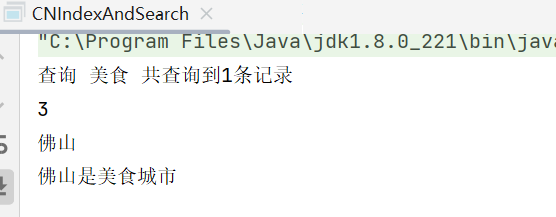
/**
     * 查询索引
     * @param indexDir 索引库的位置
     * @param q 要查询的内容
     * @throws Exception
     */
    public static void searchIndex(String indexDir,String q) throws Exception{
        // 1. 创建Directory镀锡 封装索引库位置
        Directory directory = FSDirectory.open(Paths.get(indexDir));
        // 2. 创建IndexReader对象 用来读取索引信息
        IndexReader indexReader = DirectoryReader.open(directory);
        // 3. 创建IndexSearch对象 用来查询索引
        IndexSearcher indexSearcher = new IndexSearcher(indexReader);
        // 4. 创建Query对象 封装查询信息
        Query query = new TermQuery(new Term("descs",q));
        // 5. 执行查询 返回TopDocs结果集
        TopDocs topDocs = indexSearcher.search(query, 10);
        System.out.println("查询 "+q+" 共查询到"+topDocs.totalHits.value+"条记录");
        // 6. 遍历结果集
        for (ScoreDoc scoreDoc : topDocs.scoreDocs) {
            // 7. 获取文档ID
            int docId = scoreDoc.doc;
            // 8. 根据文档ID获取文档数据
            Document document = indexSearcher.doc(docId);
            // 9. 获取查询的索引内容
            System.out.println(document.get("ids"));
            System.out.println(document.get("citys"));
            System.out.println(document.get("descs"));
        }
        // 10. 关闭IndexReader对象
        indexReader.close();
    }
 官方公众号
官方公众号
